tl;dv vs. Transkriptor: Which One is Better?
tl;dv suits revenue teams in scheduled Zoom, Teams, or Meet calls, offering recording, speaker naming, and CRM insights. Transkriptor supports more formats, 100+ languages, and broader use cases, making it better for flexible transcription needs.

- tl;dv vs. Transkriptor Comparison for Accuracy
- tl;dv vs. Transkriptor Comparison for Speed
- tl;dv vs. Transkriptor Comparison for Language Support
- tl;dv vs. Transkriptor Comparison for Speaker Identification
- tl;dv vs. Transkriptor Comparison for Noise Handling
- tl;dv vs. Transkriptor Comparison for Punctuation Quality
- tl;dv vs. Transkriptor Comparison for File Format Support
- tl;dv vs. Transkriptor Comparison for Platform Availability
- tl;dv vs. Transkriptor Comparison for Integration Options
- tl;dv vs. Transkriptor Comparison for Team Collaboration
- tl;dv vs. Transkriptor Comparison for Export Options
- tl;dv vs. Transkriptor Comparison for Security and Privacy
- tl;dv vs. Transkriptor Comparison for Pricing
- tl;dv vs. Transkriptor Comparison for User Interface and Ease of Use
- tl;dv vs. Transkriptor Comparison for YouTube Transcription Capability
- tl;dv vs. Transkriptor Comparison for Call and Meeting Transcription
- tl;dv vs. Transkriptor Comparison for Offline or Online Processing
- tl;dv vs. Transkriptor Comparison for API Availability
- tl;dv vs. Transkriptor Comparison for Model Quality
- tl;dv vs. Transkriptor Comparison for Context Understanding
- Which One is Better for Reporters: tl;dv vs. Transkriptor?
- What are the Advantages of Transkriptor Compared to tl;dv?
- What are the Advantages of tl;dv Compared to Transkriptor?
- tl;dv vs. Transkriptor Comparison for Accuracy
- tl;dv vs. Transkriptor Comparison for Speed
- tl;dv vs. Transkriptor Comparison for Language Support
- tl;dv vs. Transkriptor Comparison for Speaker Identification
- tl;dv vs. Transkriptor Comparison for Noise Handling
- tl;dv vs. Transkriptor Comparison for Punctuation Quality
- tl;dv vs. Transkriptor Comparison for File Format Support
- tl;dv vs. Transkriptor Comparison for Platform Availability
- tl;dv vs. Transkriptor Comparison for Integration Options
- tl;dv vs. Transkriptor Comparison for Team Collaboration
- tl;dv vs. Transkriptor Comparison for Export Options
- tl;dv vs. Transkriptor Comparison for Security and Privacy
- tl;dv vs. Transkriptor Comparison for Pricing
- tl;dv vs. Transkriptor Comparison for User Interface and Ease of Use
- tl;dv vs. Transkriptor Comparison for YouTube Transcription Capability
- tl;dv vs. Transkriptor Comparison for Call and Meeting Transcription
- tl;dv vs. Transkriptor Comparison for Offline or Online Processing
- tl;dv vs. Transkriptor Comparison for API Availability
- tl;dv vs. Transkriptor Comparison for Model Quality
- tl;dv vs. Transkriptor Comparison for Context Understanding
- Which One is Better for Reporters: tl;dv vs. Transkriptor?
- What are the Advantages of Transkriptor Compared to tl;dv?
- What are the Advantages of tl;dv Compared to Transkriptor?
tl;dv and Transkriptor both claim to handle transcription, but they serve very different users. tl;dv was built from the ground up as a meeting intelligence platform. Its core promise is simple: join your Zoom, Google Meet, or Teams call, record everything, and give structured notes the moment the meeting ends. Beyond notes, it clips highlights, tags decisions, and automatically pushes summaries into your CRM.
On the other hand, Transkriptor takes a broader approach. Transkriptor joins meetings with a bot to generate transcription and also accepts batch audio or video files. It translates content across more than 100 languages and delivers transcripts you can actually export in multiple formats. Where tl;dv is narrow and deep in the meeting space, Transkriptor is wide and flexible across use cases.
This guide tests tl;dv vs. Transkriptor across every major category so you can pick the right one. Whether you run a sales team, attend university lectures, file legal briefs, or produce content, the answer below is built for you.
tl;dv vs. Transkriptor Comparison for Accuracy
tl;dv reaches only 90% accuracy, even if a single speaker is speaking. That figure holds reasonably well when speakers use clear audio setups on Zoom, Google Meet, or Teams. tl;dv’s accuracy might drop when accents get heavier or audio quality falls.
Transkriptor achieves up to 99% automated accuracy by running on advanced speed models for speakers, background noise, and technical vocabulary. The gap between 90% and 99% sounds small on paper. In reality, it means far fewer errors to fix, especially in multi-speaker recordings, technical discussions, or noisy environments.
| Feature | tl;dv | Transkriptor |
|---|---|---|
| Word accuracy | 90% accuracy rate with automated transcription | Up to 99% accuracy across varied recording conditions |
| Accent handling | tl;dv struggles with heavy accents | Handles regional dialects and accents confidently across all supported languages |
| Technical terms | Trained on general business vocabulary; misses specialized jargon fairly often | Recognizes complex technical, medical, and legal terminology with high consistency. |
| Long audio accuracy | Stays stable for meetings under two hours; longer files show more drift | Processes files of any length without accuracy degradation across the transcript |
| Noisy environment | Depends on the audio quality coming from Zoom or Teams; no dedicated filter | Applies active noise suppression during transcription to preserve speech clarity |
| Real-time accuracy | Record video/audio live during meeting calls with a bot | Join the meeting via a bot, capture the meeting, and transcribe after the meeting is done |
| Multi-speaker accuracy | Identifies speakers and links them to calendar participant names automatically | Transcribes live through a meeting bot and also supports standalone dictation mode |
| Contextual understanding | Good at identifying meeting decisions and action items from the conversation | Focuses on verbatim linguistic precision across meetings, files, and live recordings |
Verdict: Transkriptor offers 99% accuracy and superior noise handling, reducing the need for manual correction. tl;dv's 90% accuracy is suitable for clean meetings but less effective in challenging audio or technical language scenarios.
tl;dv vs. Transkriptor Comparison for Speed
tl;dv supports real-time transcription, but outside meetings, it’s noticeably slower, often taking around 10 minutes to process a 1-minute audio or video file. Compared to tl;dv, Transkriptor is significantly faster, typically completing transcription in about half the file’s duration. Even on a slower internet, Transkriptor usually finishes within 5 minutes, making it more efficient for bulk or file-based workflows.
| Feature | tl;dv | Transkriptor |
|---|---|---|
| Upload speed | Quick for meeting recordings from connected platforms; slower for manual file uploads | Optimized for fast intake across all file types and sources |
| Processing speed | Generates transcript and meeting summary simultaneously; adds some processing time | Typically finishes at 50% or less of the original file's running time |
| Real-time speed | tl;dv does not support real-time transcription | Transkriptor only provides transcription after the meeting ends or when you upload audio/video files |
| Large file handling | Handles standard meeting lengths well; may lag on files beyond two or three hours | Manages large and long files without slowdowns or interface issues |
| Batch processing speed | Slow, support parallel batch uploads for multiple standalone files | Uploads multiple files simultaneously and processes them in parallel queues |
| Export speed | Summaries and transcripts appear immediately after the call; no rendering delay | Text and subtitle files are ready for download as soon as processing finishes |
Verdict: If you need fast processing, Transkriptor is the go-to choice, as tl;dv mainly prioritize meeting recordings and then transcribe. Transkriptor does work with meeting platforms, but its fast file uploading process makes Transkriptor a better choice.
tl;dv vs. Transkriptor Comparison for Language Support
tl;dv supports transcription in 30+ languages. Its own website lists specific languages, including English in multiple regional variants, Spanish, French, German, Japanese, Korean, Chinese, Hindi, Portuguese, and more. On the other hand, Transkriptor covers 100+ languages for both transcription and translation, and its website is itself localized into 24 languages.
| Feature | tl;dv | Transkriptor |
|---|---|---|
| Number of supported languages | 30+ languages, including major business markets across Europe, Asia, and the Americas | 100+ languages for transcription and translation, with 24 website localizations |
| Automatic language detection | Yes, tl;dv detect language automatically | Yes, Transkriptor auto-detects the language |
| Multilingual transcription | Yes, but with heavy accents tl;dv’s accuracy fluctuates | Excellent, provide accurate transcription in 100+ languages |
| Accent coverage | Accuracy may drop in heavy accents | Transkriptor handles diverse regional accents and dialects in more than 100 languages |
| Dialect recognition | Covers standard dialects only; limited support for regional dialect variation | Advanced Transkriptor supports dialect recognition like different Spanish, Arabic, or Chinese dialects |
| Punctuation in different languages | Good at adding punctuation | Transkriptor adapts punctuation rules to the specific syntax |
Verdict: If you work with a global team, Transkriptor wins by a clear margin. Transkriptor’s 100+ language library covers far more ground than tl;dv's 30+ languages. For teams working across multiple languages or regions, tl;dv covers major business markets adequately. Any workflow involving less common languages, regional dialects, or multilingual content needs Transkriptor.
tl;dv vs. Transkriptor Comparison for Speaker Identification
tl;dv and Transkriptor automatically identify and label speakers, but through different methods. tl;dv reads the calendar invite for each meeting, pulls the participant list, and maps each voice to a real person's name. When the transcript arrives, you see 'James' and 'Sara' instead of 'Speaker 1' and 'Speaker 2.' Transkriptor applies advanced diarization algorithms to separate voices with high precision and assigns numbered labels that you can rename globally in one action.
| Feature | tl;dv | Transkriptor |
|---|---|---|
| Number of speakers detected | Handles typical meeting sizes reliably; speaker count linked to calendar participant list | Capable of distinguishing multiple speakers in complex meetings with overlapping dialogue |
| Accuracy of speaker separation | Strong for calendar-listed participants; loses accuracy for unlisted guests or very similar voices | Maintains strong differentiation even with similar vocal tones across live meetings and uploaded files |
| Speaker labeling | Assigns real participant names automatically using calendar invite data from the recording start | Assigns numbered labels during processing; you rename them globally across the full transcript in one step |
| Real-time speaker detection | Maps speakers to calendar names at the start of each recording session | Detects and labels speakers during processing for both meeting recordings and uploaded files |
| Multi-speaker overlap | Struggles when unlisted attendees speak or when heavy crosstalk occurs between unfamiliar voices | Segments overlapping speech for cleaner speaker attribution throughout the output text |
Verdict: tl;dv is better for structured, scheduled meetings where all participants are on the calendar, providing accurate real-name labeling with no manual work. Transkriptor is ideal if you need to transcribe interviews, uploaded files, calls with external participants, or any recording where calendar data isn’t available.
tl;dv vs. Transkriptor Comparison for Noise Handling
tl;dv's noise handling strategy depends on the platform it records through. Zoom, Google Meet, and Teams all apply their own echo cancellation and noise reduction to participant audio before tl;dv ever receives it. When participants use decent microphones in quiet rooms, this works well. tl;dv adds nothing independent on top of that. Transkriptor runs active noise filtering during its transcription pipeline, enabling it to recover usable text from recordings captured without platform-level audio cleanup.
| Feature | tl;dv | Transkriptor |
|---|---|---|
| Background noise reduction | Moderate; depends on ongoing meeting recording | Integrates active noise suppression during transcription to focus on speech clarity |
| Accuracy in noisy environments | Moderate; transcription accuracy can drop in a noisy recording | High. Transkriptor is designed to filter out interference and prioritize speech patterns for accuracy |
| Wind noise handling | No dedicated wind filter; outdoor or field recordings produce more errors | Reliable; filters help distinguish voice frequencies from chaotic wind noise |
| Traffic or crowd noise handling | Struggles when background noise competes with the speaker's volume in recordings | Strong; uses algorithms to separate dominant speakers from background chatter |
| Microphone quality | Performance closely tracks device quality; phone-quality input increases the error rate significantly | Good; enhances clarity to improve transcription even from lower-quality inputs |
| Echo and reverb handling | Depends on the meeting platform, echo cancellation from Zoom or Teams | Moderate; focuses on clarity for text output rather than audio restoration |
Verdict: Transkriptor handles noisy audio more reliably. Its algorithms are tuned to extract speech from difficult recordings without requiring you to pre-process the audio. For tl;dv, transcription quality depends heavily on what the meeting platform delivers, meaning poor microphones or loud rooms result in more transcript errors that you have to fix manually.
tl;dv vs. Transkriptor Comparison for Punctuation Quality
Transkriptor generates polished, readable text from the start, with minimal manual fixes. It applies contextual punctuation logic that reads speech rhythm, clause boundaries, and pause patterns. tl;dv produces functional meeting transcripts with adequate punctuation for internal notes and action item tracking, but the output often reads more like a raw speech dump than a formatted document.
| Feature | tl;dv | Transkriptor |
|---|---|---|
| Punctuation accuracy | Sometimes tl;dv is inconsistent | Automatically add punctuation with accuracy |
| Sentence segmentation | Good. tl;dv accurately detects pauses; in some cases, it fails | Good. Transkriptor naturally detects pauses and transcribes into distinct sentences |
| Manual correction Speed | Slow correction in notes, and can not let you make corrections in the transcript | Mostly provides accurate transcription, and for a few mistakes, it takes less time |
| Formatting customization | Standardizes punctuation only for meeting notes and summary generation | Offer proper formatting customization, and also let you create a proper blog in H1, H2, and H3s |
Verdict: Transkriptor is best for professionals who need accurate punctuation and polished transcripts without spending time on manual corrections. tl;dv suits everyday meetings where quick notes matter more than perfect formatting.
tl;dv vs. Transkriptor Comparison for File Format Support
tl;dv primarily works with meeting platforms, and it also supports various import formats such as MP4, MOV, AVI, MKV, WebM, WAV, MP3, AAC, and FLAC. tl;dv premium users can copy the transcript directly, and there is no export format support for transcription. On the other hand, Transkriptor supports a wide range of import and export formats, including FLAC, M4A, WebM, MP4, SRT, VTT, DOCX, TXT, and PDF. Transkriptor also works smoothly with collaboration platforms.
| Feature | tl;dv | Transkriptor |
|---|---|---|
| Supported import formats | Meeting recording from Zoom, Teams, and Meet, and various import formats including MP4, WebM, and FLAC | Works seamlessly with meeting tools and extensive video and audio file support, OGG, FLAC, WMA, and AVI |
| Text export options | Only allow premium users to copy the transcription | Support various formats such as PDF, Word (docx), plain text (TXT), and CSV |
| Subtitle export | Does not support SRT and VTT formats | Transkriptor supports SRT and VTT formats |
Verdict: If you are dealing with diverse audio or video files, need subtitle files, or want to transcribe a YouTube video, Transkriptor handles all of these without friction. tl;dv is the better choice only for teams whose entire transcription needs come from scheduled online meetings, and who need the meeting intelligence layer rather than flexible file export options.
tl;dv vs. Transkriptor Comparison for Platform Availability
tl;dv works online and offline, on mobile, and has a Chrome extension, but it only works with Google Meet. Transkriptor, on the other hand, works seamlessly with online and offline meeting platforms, mobile apps, and the Chrome extension. Transkriptor’s Chrome extension records the screen and works across YouTube via a link, or automatically transcribes the whole video at once.
| Feature | tl;dv | Transkriptor |
|---|---|---|
| Mobile app availability | Yes, available | Yes, fully functional |
| Web browser access | Yes, most of the functions work online; offline mode is only for meeting recording | Yes, a fully functional system with complete features works seamlessly online |
| Chrome extension | Yes, but only working with Google Meet | Yes, record and transcribe meetings or web audio directly from Chrome, and work with YouTube videos too |
| Meeting integration | Manually add a link or a link with a calendar | Seamless bot integration with Zoom, Teams, and Google Meet through calendar connection |
Verdict: If you want a tool that works seamlessly across desktop, mobile, online, and Chrome, Transkriptor is the best option. tl;dv is also available on all these platforms, but mobile app functionality is limited. tl;dv cannot handle ad hoc or unscheduled meetings. tl;dv Chrome extension is limited to Google Meet, while Transkriptor transcribes meetings from Chrome and provides 99% accurate YouTube video transcription.
tl;dv vs. Transkriptor Comparison for Integration Options
tl;dv connects to over 6,000 tools natively, including Salesforce, HubSpot, Pipedrive, Notion, Confluence, Linear, and Slack. These integrations push meeting data to the right place automatically without Zapier. Transkriptor also offers native integrations with Salesforce, HubSpot, Notion, Slack, Google Drive, OneDrive, Dropbox, and Trello. Both tools connect to more apps through Zapier, but tl;dv's native post-meeting routing depth is harder to match.
| Feature | tl;dv | Transkriptor |
|---|---|---|
| Meeting platform integration | Native bot integration with Zoom, Google Meet, and Microsoft Teams via calendar sync | Seamless native bot integration with Zoom, Microsoft Teams, and Google Meet |
| Zapier automation | Available; connects to additional tools through Zapier beyond the 6,000+ native connections | Extensive; connects with a large number of apps via Zapier to automate transcript workflows |
| Cloud storage sync | Calendar and meeting platform sync native; Zapier available for additional cloud storage automation | Automated; native integrations with Google Drive, OneDrive, and Dropbox for file-based transcription |
Verdict on integrations: If you want a tool that automatically routes meeting outputs to your CRM, project tools, and Slack without any setup beyond a one-time connection, tl;dv is the superior choice. Transkriptor's native integration list covers key business tools, including Salesforce and Notion, but tl;dv's post-meeting auto-logging depth and 6,000+ native connections are built specifically for seamless meeting workflow automation.
tl;dv vs. Transkriptor Comparison for Team Collaboration
tl;dv enables teams to share meeting recordings, create timestamped clips from key moments, and build a searchable knowledge base across all past meetings. The multi-meeting intelligence feature lets teams query patterns across hundreds of recordings, which is genuinely useful for product feedback loops and sales coaching. Transkriptor provides centralized workspaces where teams can view, edit, and comment on transcripts simultaneously, enabling document-centric collaboration beyond the meeting context.
| Feature | tl;dv | Transkriptor |
|---|---|---|
| Real-time collaboration | Allows teams to comment on timestamped moments and share clips from meeting recordings | Multiple team members can edit text and add comments on the same transcript simultaneously |
| Workspace sharing | Shared drive folders let tl;dv organize projects and manage permissions | Transkriptor provides dedicated team workspaces to manage files, members, and access levels centrally |
| Comment system | Comments pinned to specific timestamps in the video recording or linked transcript moments | Users can highlight text sections to leave comments for feedback or review |
| Version control | Tracks recording history and linked notes without overwriting previous meeting data | Simultaneous editing access without data overwrites for smooth multi-user transcript management |
Verdict on collaboration: tl;dv wins for teams whose collaboration centers on revisiting meeting recordings, sharing coaching clips, and building a searchable meeting knowledge base. Transkriptor is the stronger hub for teams that collaborate on text-based documentation across diverse content types, including uploaded files, interviews, and recordings originating outside the three meeting platforms tl;dv supports.
tl;dv vs. Transkriptor Comparison for Export Options
Transkriptor focuses on flexible text and document exports with TXT, DOCX, PDF, and SRT available on paid plans. tl;dv exports transcripts on paid plans and only lets you copy the transcripts, and adds unique value through shareable video clip URLs and native CRM push, but does not generate subtitle files on any plan.
| Feature | tl;dv | Transkriptor |
|---|---|---|
| Document formats | Shares meeting summaries and AI notes via link; raw transcript export requires a paid plan and uses copy-paste | Exports to PDF, Word (docx), and TXT for professional documentation across any use case |
| Subtitle export | No SRT or VTT subtitle files | Exports SRT with customized timestamps and speaker tags; exports VTT for web video compatibility |
| Direct publishing | Pushes meeting intelligence into Slack, Notion, Salesforce, and HubSpot natively | Focuses on downloadable file export rather than direct publishing to social or media platforms |
Verdict: Teams that need meeting intelligence inside their business tools get exactly that from tl;dv. Anyone who needs a downloadable transcript in a specific format, such as PDF for a client report, Word for a legal record, or SRT for a video, gets full flexibility from Transkriptor without hitting plan restrictions.
tl;dv vs. Transkriptor Comparison for Security and Privacy
tl;dv holds SOC 2 compliance, maintains GDPR alignment, and offers EU-based data hosting. tl;dv partners with Anthropic for AI processing, anonymizes user data, and never trains on customer recordings. Business and Enterprise plans unlock SSO and admin-level access controls. Transkriptor holds SOC 2, ISO 27001, and GDPR certifications and HIPAA compliance, positioning it as the stronger option for regulated industries like healthcare and legal services.
| Feature | tl;dv | Transkriptor |
|---|---|---|
| Compliance certifications | SOC 2 compliant and GDPR aligned; offers optional EU-based data hosting for European businesses | Holds SOC 2, ISO 27001, and GDPR certifications across the full platform |
| Healthcare compliance | No HIPAA compliance; cannot handle workflows involving protected health information | Actively pursues HIPAA compliance to protect sensitive health and medical data |
| Access control | SSO and role-based team access controls unlock on Business and Enterprise plans | Enforces strict role-based access controls and logical access management across all paid tiers |
| Data encryption | Encrypts data at rest and in transit; EU hosting option supports GDPR-sensitive workflows | Applies end-to-end encryption using TLS 1.2 and AES-256 to all personal data and transcript content |
Verdict on security: European businesses that need EU data residency and a GDPR-first posture gain a genuine advantage from tl;dv's EU-hosted option. Regulated industries that need HIPAA alignment and ISO 27001 certification should choose Transkriptor. Both tools adequately cover standard business use cases.
tl;dv vs. Transkriptor Comparison for Pricing
Transkriptor offers a more cost-effective, straightforward pricing model with dedicated transcription hours, making it ideal for heavy users, while tl;dv stands out for its generous free plan but limits advanced features to higher tiers.
| Feature | tl;dv | Transkriptor |
|---|---|---|
| Free plan limits | Unlimited meeting recordings and transcripts; 5 file uploads and 10 AI meeting notes per month | 30-minute free trial to test accuracy and core features before committing to a paid plan |
| Entry-level paid plan | Pro at $18/month (annual) or $29/month (monthly) with unlimited AI notes and 5,000+ integrations | Lite at $9.99/month for 5 transcription hours with full multi-format export access |
| Cost per hour | Per-user seat pricing, rather than per-hour billing, works out favorably for heavy meeting users | Per-hour transcription rates across all plans suit high-volume users processing diverse content |
| Team and enterprise pricing | Business at $59/month per user; Enterprise at custom pricing with dedicated support | Team plans start at $30/month with scalable options for growing groups |
Verdict on pricing: tl;dv's free plan makes it the default choice for individuals and small teams who live in scheduled meetings and want unlimited recording at no cost. Transkriptor delivers better value for users who process high volumes of transcription across mixed content types and do not want to pay per-user seat pricing for meeting intelligence features they never use.
tl;dv vs. Transkriptor Comparison for User Interface and Ease of Use
tl;dv keeps its interface clean and focused on the meeting workflow. Setting up the bot, reviewing notes, watching recordings, and sharing clips all feel intuitive within that context. Transkriptor builds its dashboard around a single core interaction: upload a file and get a transcript. Most users complete their first transcription within minutes of signing up, and the mobile app delivers the same simplicity.
| Feature | tl;dv | Transkriptor |
|---|---|---|
| Interface complexity | Low for meeting workflows; complexity jumps when you work outside the meeting context. | Stays low regardless of content type; every user gets to their first transcript without friction |
| Learning curve | Minimal for recording scheduled meetings; steeper for CRM features, coaching playbooks, and cross-meeting reports | Minimal across all use cases; upload a file and receive a transcript with no prior training required |
| Mobile experience | Not as good as online, and transcription takes a longer time | Highly rated mobile app that matches the full web platform for recording and transcription |
| Performance | Cloud-based processing with minimal local resource demands; stable across standard meeting volumes | Lightweight and runs smoothly on all devices without consuming local system resources |
Verdict on ease of use: Both tools feel accessible within their intended workflows. tl;dv works easily for scheduled meetings. Transkriptor works smoothly for meetings, YouTube transcription, and file uploads. Users who need to go beyond tl;dv's three supported platforms face no workflow adjustment when switching to Transkriptor.
tl;dv vs. Transkriptor Comparison for YouTube Transcription Capability
tl;dv does not support YouTube transcription as a primary workflow. Its library section lets you upload video files, but processing a YouTube video requires you to download the file first, upload it manually, and work through the meeting-centric interface to retrieve the transcript. That multi-step workaround adds significant friction, while Transkriptor resolves it with a single URL paste. Transkriptor accepts YouTube links directly, processes the video in the cloud, and returns a full transcript or subtitle file without touching your local storage.
| Feature | tl;dv | Transkriptor |
|---|---|---|
| Link to text functionality | No native YouTube link support; requires manual download and a paid plan file upload to process | Accepts a YouTube URL and returns a full transcript or subtitle file immediately, without any download |
| Subtitle generation | No YouTube subtitle generation workflow at any plan level | Generates and translates subtitles in 100+ languages directly from a YouTube link |
| Video download requirement | Requires manual download and re-upload to process any YouTube content | Processes the video directly from the URL in the cloud; your local storage stays untouched |
Verdict on YouTube capability: Transkriptor handles YouTube transcription cleanly and quickly. tl;dv has no YouTube capability at any plan level, and the manual workaround adds enough friction to make it impractical for regular use.
tl;dv vs. Transkriptor Comparison for Call and Meeting Transcription
Both tools auto-join meetings and handle recording, but their focus differs. tl;dv emphasizes structured meeting insights, speaker identification, and searchable archives. Transkriptor focuses on fast, flexible transcription, supporting 100+ languages and handling both in-meeting and uploaded recordings efficiently.
| Feature | tl;dv | Transkriptor |
|---|---|---|
| Meeting bot automation | Bot auto-joins all calendar-linked calls on Zoom, Teams, and Google Meet and delivers structured notes after the meeting | Virtual bot joins Zoom, Teams, Webex, and Google Meet calls and handles the full recording and transcription workflow |
| Live transcription | Shows no live transcript during the meeting; text arrives only after the call ends | No live transcription, transcribes automatically when the call ends |
| Platform integration | Connects natively to Zoom, Teams, and Google Meet through calendar sync | Connects its bot to Zoom, Teams, and Google Meet through calendar-linked integration |
| Speaker identification | Assigns real participant names from calendar invite data automatically | Separates and labels speakers automatically; you rename labels globally across the full transcript |
Verdict on call transcription: For call and meeting transcription, tl;dv is best for structured team meetings where real-name attribution and cross-meeting insights matter. Transkriptor is better when you need flexible transcription that works with both in-meeting and uploaded recordings across multiple platforms.
tl;dv vs. Transkriptor Comparison for Offline or Online Processing
tl;dv does not work offline; it requires an active internet connection for all functions. While Transkriptor’s Record and Transcribe feature works offline, its other transcription features still need a stable internet connection. But if you need more features on the mobile or desktop app, you can go with Transkriptor, as tl;dv only supports meeting recording, calendar integration, or link and file uploading.
| Feature | tl;dv | Transkriptor |
|---|---|---|
| Offline transcription | None, tl;dv does not process transcription offline | Only record and transcribe works offline |
| Editing without the internet | None; tl;dv is entirely browser-based and requires connectivity at all times | Not possible, requires a stable internet connection |
| Mobile offline mode | tl;dv mobile app does not work offline | Limited. Only the record and transcribe feature works offline; others, like upload and transcribe and meeting integration, need a stable internet connection |
Verdict on offline capability: If you want to record and transcribe without an active Internet connection quickly, Transkriptor is your go-to choice. However, for meeting recording, transcription, and uploading files, both tl;dv and Transkriptor require an internet connection.
tl;dv vs. Transkriptor Comparison for API Availability
Transkriptor offers a public developer API that covers audio file uploads, transcript retrieval, meeting bot deployment, real-time integration pipelines, and webhook notifications. tl;dv offers a developer API for accessing meeting transcripts and summaries programmatically, but its scope is focused on reading structured meeting intelligence rather than enabling original transcription application development.
| Feature | tl;dv | Transkriptor |
|---|---|---|
| Public API access | Yes, the developer API is available for retrieving meeting transcripts, summaries, and recordings programmatically | Yes, comprehensive API for file upload, transcript retrieval, meeting bot deployment, and more |
| Meeting bot API | Yes, programmatic control of the meeting bot for scheduled call recording via API | Yes, API supports deploying meeting bots to join and transcribe Zoom, Teams, and Google Meet calls |
| Real-time API | Available for live meeting data access; limited streaming transcription support | Not capable of real-time transcription |
| Cost scaling | API access tied to seat-based plan pricing; scales with user count | Flexible; API usage is metered or bundled in higher-tier plans for scalable business deployment |
Verdict on API: If you are a developer building transcription features into your own product, Transkriptor is the stronger choice. Its documented API covers audio file uploads, bot deployment, and webhook support. tl;dv's API suits developers integrating meeting intelligence into business applications. For general transcription pipelines, Transkriptor gives you more to build with.
tl;dv vs. Transkriptor Comparison for Model Quality
tl;dv uses its own core transcription model for meeting audio and, on higher plans, offers the option to switch to the Premium Whisper model (OpenAI’s multilingual ASR) for better language detection and transcript quality. Transkriptor, on the other hand, runs its advanced proprietary AI speech‑to‑text engine trained across 100+ languages with up to 99 % accuracy, built specifically for broad transcription use cases beyond meetings. Transkriptor wins if you need wide language support and general transcription, while tl;dv’s models are tuned around business meeting contexts with optional Whisper support for more accurate multi‑language transcripts.
| Feature | tl;dv | Transkriptor |
|---|---|---|
| Transcription architecture | AI model optimized for business meeting conversations in 30+ languages; accuracy falls with heavy accents | Model trained across 100+ languages; claims up to 99% accuracy |
| Accent adaptation | Handles standard Western accents reliably; heavier accents or regional dialects reduce output quality | Excellent; trained on massive global datasets to handle diverse accents and dialect variations confidently |
| Audio enhancement | None; tl;dv applies no audio enhancement; output quality depends entirely on source audio. | Noise reduction is applied during transcription to improve clarity from lower-quality audio inputs. |
Verdict on model quality: If you need the machine to understand what was said with near-perfect accuracy across diverse speakers, Transkriptor is the superior choice. Its broader training data and higher ceiling for accuracy make it a stronger model for varied or specialized content. tl;dv's model is well-suited for standard business meeting conversations in its supported languages.
tl;dv vs. Transkriptor Comparison for Context Understanding
Context understanding means different things to different tools. For tl;dv, context is meeting intelligence: it reads the conversation to identify what was decided, who owns what action, and which patterns repeat across many calls. For Transkriptor, context is linguistic precision: it handles technical vocabulary across fields, tracks speaker turns in overlapping dialogue, and detects language switches across 100+ languages with high first-pass accuracy.
| Feature | tl;dv | Transkriptor |
|---|---|---|
| Technical jargon handling | Moderate; covers business vocabulary well; specialized terms in medicine, law, and science are less reliable | Highly designed to handle complex vocabulary in medicine, law, and technology with strong first-pass accuracy |
| Filler word detection | Not a feature; tl;dv does not detect or flag filler words in meeting transcripts | Transcribes filler words as spoken for verbatim accuracy; no automated removal feature |
| Speaker context | Excellent; the speaker turns to real participant names and roles from calendar data | Excellent; uses diarization context to attribute speech accurately even in overlapping dialogue |
| Multilingual context | Limited; 30+ languages; limited support for mid-session language switching | Detects language changes dynamically and adapts across 100+ languages in a single recording |
Verdict on context: If your goal is to extract meeting intelligence, track action items, and understand what was decided across many calls, tl;dv is the clear winner. If your goal is to accurately capture complex speech, technical terms, or multilingual content without losing meaning, Transkriptor provides superior linguistic context. Each tool wins in its own dimension.
Which One is Better for Meeting Transcription: tl;dv vs. Transkriptor?
Transkriptor is better for transcription, as it aligns with the bot automation and delivers higher accuracy with stronger language coverage for global teams. tl;dv is purpose-built for meeting transcription and goes several steps beyond a simple bot, but it lacks heavy accent recognition and accuracy.
| Feature | tl;dv | Transkriptor |
|---|---|---|
| Automation | Fully automated; bot auto-joins every calendar-linked call on Zoom, Teams, and Meet | Completely automated; meeting bot joins calls through calendar integration on Zoom, Teams, and Meet |
| Speaker identification | Good, links speakers to real participant names from the calendar invite automatically | Ideal, auto-detects and labels speakers; global rename applies across the full transcript |
| Real-time access | None, transcript and summary available only after the recording ends and processing completes | No, transcripts and summaries are available only after the recording ends and processing completes |
| Actionable output | Basic. generates structured summaries with tagged action items, decisions, and shareable video clips | Smart. Generates AI summaries, action items, and sentiment analysis from the transcript automatically. |
Overall Score
| Tool | Score (out of 10) |
|---|---|
| tl;dv | 9 |
| Transkriptor | 9.5 |
Verdict: tl;dv wins for business meeting transcription. Named attribution, CRM auto-sync, video clip sharing, and cross-meeting intelligence make it a more complete post-meeting workflow tool. Transkriptor is the better choice when the meeting includes participants across many languages or when raw transcription accuracy is the primary concern.
Which One is Better for Call Transcription: tl;dv vs. Transkriptor?
Both tools automate recording and transcription for online business calls on Zoom, Teams, and Meet. The split applies to calls that occur outside those platforms. Transkriptor's mobile app records phone calls and audio directly on a device. tl;dv has a mobile app, but it cannot record standalone phone or mobile calls without an internet connection.
| Feature | tl;dv | Transkriptor |
|---|---|---|
| Mobile call recording | tl;dv has a mobile app, but can not record phone calls directly on the device | Excellent. Transkriptor's mobile app records calls and audio directly on iOS or Android |
| Meeting bot integration | Automated; bot joins Zoom, Teams, and Meet calls; cannot record standalone phone calls | Automated; bot joins Zoom, Teams, and Meet; mobile app handles phone and in-person calls |
| Speaker identification | Excellent; links real participant names from calendar invites to each speaker turn automatically | High; auto-separates speakers in multi-person calls with strong diarization accuracy |
| Platform flexibility | Full feature set in online mode, limited features on mobile and desktop | Works across web, iOS, and Android for online meetings and standalone recordings |
Overall Score
| Tool | Score (out of 10) |
|---|---|
| tl;dv | 5 |
| Transkriptor | 9.5 |
Verdict: Transkriptor wins for overall call transcription because its mobile app supports phone calls and real-world recordings such as in-person meetings, interviews, lectures, or on-site conversations that tl;dv cannot handle. For purely online business calls on connected meeting platforms, tl;dv’s named attribution and CRM sync make it a stronger option.
Which One is Better for Interview Transcription: tl;dv vs. Transkriptor?
Transkriptor is better for interview transcription. It reliably separates multiple speakers based on audio characteristics and works consistently across all recording types, including uploaded files. tl;dv works well for platform-based interviews with calendar data, but struggles with speaker identification in external or uploaded recordings, often requiring manual fixes.
| Feature | tl;dv | Transkriptor |
|---|---|---|
| Speaker identification | Accurate for calendar-linked platform interviews; requires manual correction for uploaded files with unlisted speakers | Detects and labels different speakers accurately across all recording types and file sources |
| Accuracy with multiple voices | Handles structured meeting-style interviews well; loses accuracy when voices overlap, or when speakers are unfamiliar | Separates overlapping speech cleanly in dynamic conversations across the full recording |
| Turnaround time | Slower. Processes platform recordings quickly; adds steps and delays for manually uploaded interview files. | Fast. Accepts any interview file and returns a finished, speaker-labelled transcript in minutes |
Overall score
| Tool | Score (out of 10) |
|---|---|
| tl;dv | 7 |
| Transkriptor | 9 |
Verdict: Transkriptor's automated speaker diarization works reliably across most recording sources and requires less manual correction. Choose tl;dv for interview transcription only when the interview runs as a structured video call through one of its three supported platforms, and every participant appears on the calendar invite.
Which One is Better for Lecture Transcription: tl;dv vs. Transkriptor?
Transkriptor is better for lecture transcription, as it’s designed for academic use with live lecture recording, AI chat for turning transcripts into study material, and a 50% student discount. tl;dv, built for revenue teams, lacks lecture-specific features, student pricing, and academic AI tools, making it less suitable beyond basic recording.
| Feature | tl;dv | Transkriptor |
|---|---|---|
| Mobile recording | tl;dv Mobile Lite can record lectures online, but the tool ships no academic features to support this use case | Mobile app records and transcribes lectures live from any classroom or lecture hall instantly |
| Student pricing | Applies standard business plan pricing with no student or academic discount at any tier | Offers a 50% student discount that cuts the cost significantly for academic budgets |
| AI study tools | Generates meeting-focused notes and action items; no interactive learning features for students | AI chat lets you ask questions about the lecture transcript, extract key concepts, and generate quizzes |
| Accuracy with technical terms | Trains on business vocabulary; misses academic and discipline-specific terminology regularly. | Reaches up to 99% accuracy with training covering specialized vocabulary across academic fields |
Overall score
| Tool | Score (out of 10) |
|---|---|
| tl;dv | 4 |
| Transkriptor | 9.5 |
Verdict: For lecture transcription, Transkriptor addresses students' needs that tl;dv ignores. Transkriptor mobile app captures lectures, AI chat transforms them into study material, and student pricing keeps costs manageable. tl;dv can technically record a lecture through its mobile app, but it does not provide any academic tools that make the recording valuable for students.
Which One is Better for Classroom Transcription: tl;dv vs. Transkriptor?
Transkriptor is better for classroom transcription, as it works seamlessly in real classroom settings. Students can record live audio, get automated captions and transcripts in 100+ languages, support accessibility for hearing impairments, and access a searchable record anytime. tl;dv, however, relies on meeting platforms and its mobile app cannot directly record in a classroom, limiting its practical use in this scenario.
| Feature | tl;dv | Transkriptor |
|---|---|---|
| Accessibility features | No dedicated accessibility features; tl;dv Mobile Lite does not have a recording feature | Converts classroom audio into accessible text, supporting hearing-impaired and international students |
| Mobile classroom use | Limited. Records only when you record via a meeting platform, which seems a less practical option for students | Students record lectures directly in the mobile app and receive an instant, searchable transcript |
| Language support | 30+ languages focused on major business markets; limited value for multilingual classroom contexts | 100+ language transcription and translation support diverse student populations in international classrooms |
| Note-taking integration | Meeting-focused AI notes serve business teams; no interactive study tools for students. | AI chat lets students query transcripts for summaries, key concepts, and custom revision material. |
Overall score
| Tool | Score (out of 10) |
|---|---|
| tl;dv | 3 |
| Transkriptor | 10 |
Verdict: Transkriptor is the practical tool for classroom transcription between these two. Its combination of mobile recording, instant transcription, multilingual support, and student-focused AI tools covers what students and educators actually need. tl;dv can record in a classroom, but provides none of the surrounding academic infrastructure.
Which One is Better for YouTube Transcription: tl;dv vs. Transkriptor?
Transkriptor is better for YouTube transcription because you can simply paste a YouTube link and get a transcript or subtitle file in seconds. It works fully in the cloud and does not require any manual steps. tl;dv, on the other hand, needs you to download the video and upload it to the platform to get the transcript. Unlike Transkriptor, tl;dv it does not generate subtitle files, which makes the process slower and less practical.
| Feature | tl;dv | Transkriptor |
|---|---|---|
| Link-to-text | No YouTube URL support; requires manual download and library upload to process YouTube content | Accepts a YouTube URL and returns a full transcript or subtitle file immediately, without any download |
| Subtitle generation | No YouTube subtitle generation at any plan level | Generates and translates subtitles in 100+ languages directly from a pasted YouTube URL |
| Translation | No YouTube translation capability through any workflow | Translates YouTube transcripts into 100+ languages for research, accessibility, or localisation |
Overall score
| Tool | Score (out of 10) |
|---|---|
| tl;dv | 1 |
| Transkriptor | 9.5 |
Verdict: Transkriptor is the clear choice for YouTube video to text. tl;dv has no URL-based YouTube capability, and the download-and-upload workaround adds enough friction to make it impractical for anyone who regularly transcribes online video content.
Which One is Better for Podcast Transcription: tl;dv vs. Transkriptor?
Transkriptor is better for podcast transcription because it offers a simple upload-and-transcribe workflow, processes files quickly, and exports clean transcripts in multiple formats. tl;dv can handle podcast files, but it routes them through a meeting-style interface, which adds unnecessary steps and slows down a basic file-to-text task.
| Feature | tl;dv | Transkriptor |
|---|---|---|
| Filler word removal | Flags filler words in meeting notes, but cannot remove them from the audio itself | Transcribes all spoken content accurately, including filler words; you edit them out manually if needed |
| Transcript speed | Meeting-centric processing adds complexity and delays for podcast files outside the meeting workflow | Delivers a finished podcast transcript in minutes at approximately 50% of the original file duration |
| Publishing tools | Connects to Notion and Slack for note delivery; no podcast hosting platform integration exists. | Exports TXT, PDF, and SRT files for manual upload to podcast hosts or content management platforms |
Overall score
| Tool | Score (out of 10) |
|---|---|
| tl;dv | 4 |
| Transkriptor | 8 |
Verdict: Transkriptor handles podcast transcription faster and more naturally. tl;dv's core values lie in sales coaching, CRM integration, and cross-meeting reporting, none of which are relevant to podcast production workflows.
Which One is Better for Webinar Transcription: tl;dv vs. Transkriptor?
Both tools work well for webinar transcription, but the better choice depends on your needs. tl;dv is ideal if you want structured notes, highlight clips, and shareable summaries from webinars. Transkriptor is better if you need accurate verbatim transcripts with automated summaries and support for 100+ languages for global audiences.
| Feature | tl;dv | Transkriptor |
|---|---|---|
| Live capture | Bot auto-joins calendar-linked webinar sessions and delivers structured notes with highlights after the session | Bot joins the webinar on supported platforms and delivers an accurate full transcript with an automated summary when the webinar ends |
| Content repurposing | Clips timestamped highlights and generates structured summaries that content teams use post-event | Delivers a complete transcript and AI summary; does not include video clip creation or highlight editing |
| Summary & Action Items | Generates structured summaries and surfaces key decisions and action items from the session automatically | Generates summaries and extracts action items automatically from the completed transcript |
| Multilingual support | Covers 30+ languages for transcription; translation available for meeting summaries | Transcribes and translates webinar content across 100+ languages for diverse international audiences. |
Overall score
| Tool | Score (out of 10) |
|---|---|
| tl;dv | 8.5 |
| Transkriptor | 9 |
Verdict: tl;dv's timestamped highlight clipping adds real value for teams that host webinars and repurpose recordings into coaching material or content. Transkriptor wins for broader language coverage, higher raw accuracy, and teams that attend webinars and need a clean verbatim record with minimal setup.
Which One is Better for Zoom Transcription: tl;dv vs. Transkriptor?
Both tools deploy a bot to Zoom calls automatically and deliver transcripts after the meeting ends. tl;dv adds real participant names from the calendar invite and builds a searchable archive across all past Zoom recordings. Transkriptor works with free Zoom accounts without requiring cloud recording to be enabled and provides full SRT and VTT exports for every recording.
| Feature | tl;dv | Transkriptor |
|---|---|---|
| Automation | Bot auto-joins all calendar-linked Zoom meetings and delivers structured notes immediately after each call | Bot auto-joins scheduled Zoom calls and transcribes automatically, including on free Zoom accounts |
| Real-time transcription | No, deliver the Zoom meeting transcript after the call ends; neither streams text during the session | No, you get transcription after the session ends |
| Speaker identification | Assigns real participant names from the Zoom calendar invite for clean attribution throughout the transcript | Detects and labels speakers automatically with globally renameable labels across the full transcript |
| Cloud recording sync | Syncs with Zoom Cloud Recordings, but typically requires a paid Zoom plan for this workflow. | Bot records screen and audio directly, bypassing the need for Zoom's cloud recording feature entirely. |
Overall score
| Tool | Score (out of 10) |
|---|---|
| tl;dv | 8.5 |
| Transkriptor | 9.5 |
Verdict: Transkriptor offers greater flexibility for Zoom transcription, as it works with free Zoom accounts and exports subtitles and documents in multiple formats. tl;dv's real-name speaker attribution makes it a more convenient pick for structured internal meetings where every attendee appears on the calendar.
Which One is Better for Teams Transcription: tl;dv vs. Transkriptor?
Both tools deploy bots to Microsoft Teams calls and handle the full recording workflow automatically. tl;dv delivers structured meeting intelligence with named participant attribution and CRM-connected output. Transkriptor integrates with OneDrive for automatic folder-based transcription and exports in formats that tl;dv does not support, including SRT, PDF, and Word documents.
| Feature | tl;dv | Transkriptor |
|---|---|---|
| Automation | Bot auto-joins calendar-linked Teams meetings and delivers structured notes and highlights after each call | Bot auto-joins scheduled Teams calls and transcribes automatically without any manual recording steps |
| Real-time transcription | No real-time transcription | No, generate transcription only when the meeting ends |
| Cloud storage sync | Pushes meeting notes to connected workspaces; no automatic folder-based transcription for OneDrive files. | Integrates with OneDrive to automatically transcribe meeting recordings saved to connected folders |
Overall score
| Tool | Score (out of 10) |
|---|---|
| tl;dv | 8 |
| Transkriptor | 9 |
Verdict: Both tools handle Microsoft Teams transcription competently. tl;dv wins for enterprise Teams environments where named participant attribution and cross-meeting intelligence reports drive daily productivity. Transkriptor wins for teams that need OneDrive folder automation and multi-format export flexibility alongside the meeting transcript.
Which One is Better for Google Meet Transcription: tl;dv vs. Transkriptor?
tl;dv built its original product around Google Meet and offers a dedicated Chrome extension for it. Transkriptor handles Google Meet via its bot and a Chrome extension that works across multiple meeting platforms, rather than restricting functionality to a single service.
| Feature | tl;dv | Transkriptor |
|---|---|---|
| Capture Method | Dedicated Chrome extension and calendar-linked bot capture Google Meet audio and transcript natively | Chrome extension and bot capture meeting audio and transcript directly from within the browser |
| Live transcript | Does not offer real-time transcription | No real-time transcription |
| Setup friction | Chrome extension setup runs quickly; calendar connection requires minimal configuration to activate | Extension or bot setup runs simply; the tool auto-detects and transcribes the meeting after installation |
Overall score
| Tool | Score (out of 10) |
|---|---|
| tl;dv | 8.5 |
| Transkriptor | 9 |
Verdict: Both tools work well for Google Meet transcription. tl;dv works more seamlessly with Google Meet through its Chrome extension. Transkriptor's broader Chrome extension coverage and multi-format export give it the edge for teams that need platform flexibility beyond Google Meet or require downloadable subtitle and document files.
Which One is Better for Medical Transcription: tl;dv vs. Transkriptor?
Transkriptor is better for medical transcription. It is HIPAA compliant, supports healthcare-grade security protocols, and is trained to handle complex medical terminology with high accuracy. tl;dv, on the other hand, is not HIPAA compliant, offers no Business Associate Agreements, and relies on general business vocabulary, which creates serious compliance risks for any workflow involving protected health information.
| Feature | tl;dv | Transkriptor |
|---|---|---|
| HIPAA compliance | None. tl;dv holds no HIPAA compliance or BAA support; legally inappropriate for patient health information | HIPAA compliant and implements security protocols specifically designed for health data |
| Medical vocabulary | Trains on standard business vocabulary; frequently misses drug names, clinical diagnoses, and medical jargon | Tunes' advanced algorithms to recognize complex medical terminology with up to 99% transcription accuracy |
| Security standards | SOC 2 and GDPR for standard business data; it lacks the specific controls that healthcare data workflows require | Enforces encryption, role-based access controls, audit trails, and GDPR alignment for healthcare compliance |
Overall score
| Tool | Score (out of 10) |
|---|---|
| tl;dv | 2 |
| Transkriptor | 9.5 |
Verdict: For transcription for health professionals, Transkriptor is the better option between these two. tl;dv is not suitable for handling patient data and should not be used in healthcare workflows.
Which One is Better for Legal Transcription: tl;dv vs. Transkriptor?
Transkriptor is an ideal choice for legal transcription. It holds ISO 27001 certification, is trained on legal terminology, and reliably separates speakers in complex multi-party recordings. tl;dv covers general business data under SOC 2, but its focus on conversational vocabulary can miss case citations, Latin terms, and complex legal language. Its calendar-based speaker naming also breaks down in court-style proceedings with multiple unknown participants.
| Feature | tl;dv | Transkriptor |
|---|---|---|
| Security compliance | SOC 2 for general business use; does not meet the confidentiality requirements of legal privilege | SOC 2, ISO 27001, and GDPR compliance with encryption designed to protect privileged client data |
| Legal vocabulary | Trains on business vocabulary that misses case citations, Latin terms, and specialised legal language regularly | Recognizes legal jargon and technical terminology for accurate transcription of depositions and hearings |
| Speaker identification | Calendar-based naming fails in court-style proceedings with multiple external or unknown participants | Separates judges, attorneys, and witnesses clearly throughout complex multi-party transcript recordings |
| File organization | Meeting-centric project structure handles large volumes of case recording files poorly | Searchable repository lets you tag, store, and retrieve specific case files efficiently at scale |
Overall score
| Tool | Score (out of 10) |
|---|---|
| tl;dv | 3.5 |
| Transkriptor | 9 |
Verdict: Transkriptor is the appropriate choice for legal transcription. Its vocabulary accuracy, ISO 27001 security standards, and strong multi-speaker separation make it suitable for privileged case materials. tl;dv's general business focus makes it unsuitable for legal documentation requiring strict confidentiality.
Which One is Better for Academic Transcription: tl;dv vs. Transkriptor?
For academic transcription, Transkriptor is the stronger choice. It supports students and researchers with a 50% discount, AI chat for turning transcripts into study material, mobile lecture recording, and 100+ language support across disciplines. tl;dv is built for revenue teams, so it sticks to business pricing, lacks academic tools, and its mobile app is designed for meeting capture rather than classroom or research use.
| Feature | tl;dv | Transkriptor |
|---|---|---|
| Academic pricing | Standard business plan pricing with no student or academic discount at any level | Flat 50% discount for students and researchers significantly reduces the cost for academic budgets |
| Research analysis | Cross-meeting trend reports for business analytics; lacks qualitative data coding or thematic analysis tools | AI chat features let you query transcripts to extract themes and support qualitative analysis workflows |
| Multilingual support | 30+ languages adequate for major business markets; limits international field research significantly | 100+ languages for transcription and translation covering diverse global research contexts |
| Collaboration | Team workspaces target business meeting review rather than academic research group workflows | Secure transcript sharing with advisors and study groups for collaborative review and annotation |
Overall score
| Tool | Score (out of 10) |
|---|---|
| tl;dv | 3 |
| Transkriptor | 9.5 |
Verdict: Transkriptor outperforms tl;dv across every dimension that matters for academic users. Student pricing, research-oriented AI tools, broad multilingual coverage, and mobile lecture capture make Transkriptor purpose-built for academic work. On the other hand, tl;dv's feature set and pricing structure belong to a revenue team and not a university.
Which One is Better for Research Transcription: tl;dv vs. Transkriptor?
Transkriptor is the better fit for research transcription. It handles interviews and focus groups smoothly, maintains accuracy across different recording conditions, and includes AI tools that support qualitative analysis. tl;dv is more aligned with business use cases. Its cross-meeting insights help with trend analysis, but it does not offer features like qualitative coding, thematic extraction, or research-focused analysis.
| Feature | tl;dv | Transkriptor |
|---|---|---|
| Data collection | Automates platform meeting recordings; adds friction for field recordings or unscheduled research sessions | Joins and records focus groups and research interviews on connected platforms automatically |
| Analysis support | Produces cross-meeting business trend reports; no qualitative coding or thematic extraction tools | An AI assistant lets you interact with transcript data to extract themes and patterns for research analysis |
| Transcription accuracy | Claims 96% accuracy; drops further in noisy field conditions or with heavy regional accents | Reaches up to 99% accuracy and maintains performance across diverse accents and real-world conditions |
| Cost efficiency | Per-user seat pricing includes meeting intelligence features most researchers never use | More transcription hours at a lower cost; suits heavy content processing without unused feature overhead |
Overall score
| Tool | Score (out of 10) |
|---|---|
| tl;dv | 4.5 |
| Transkriptor | 9 |
Verdict: Transkriptor handles data collection, supports qualitative analysis, and delivers accurate results in challenging field conditions. tl;dv's meeting intelligence focus adds little practical value to research data collection and analysis workflows.
Which One is Better for Multispeaker Transcription: tl;dv vs. Transkriptor?
Transkriptor is the better choice for multi-speaker transcription because its diarization is based on audio characteristics, so it remains accurate even with crosstalk, unknown participants, or recordings from any source. In contrast, tl;dv depends on calendar data for speaker naming, which works only when all participants are listed, but breaks down with uninvited guests or uploaded recordings and often leads to generic labels and manual correction.
| Feature | tl;dv | Transkriptor |
|---|---|---|
| Speaker separation | Reliable for calendar-listed participants; breaks down for unlisted guests or uploaded recordings with unknown speakers | Advanced diarization automatically distinguishes and labels multiple speakers across any recording type |
| Overlapping speech | Loses accuracy in rapid exchanges; struggles when voices sound similar, or speakers are not on the calendar | Captures and segments simultaneous speech patterns in dynamic multi-party recordings more effectively |
| Meeting integration | Assigns real names from calendar data for structured scheduled meetings on three supported platforms | Joins meetings and identifies speakers through diarization for both live meetings and uploaded files |
| Editing workflow | Meeting-centric interface for reviewing clips; speaker correction requires manual editing on paid plans | Lets you rename speakers globally and correct attribution errors across the entire transcript in one action |
Overall score
| Tool | Score (out of 10) |
|---|---|
| tl;dv | 7 |
| Transkriptor | 9 |
Verdict: Transkriptor's diarization outperforms tl;dv in every multi-speaker scenario outside a calendar-linked meeting. tl;dv wins only in the narrow case of structured scheduled meetings where every attendee appears on the invite, and no unlisted participants join.
Which One is Better for Noisy Environment Transcription: tl;dv vs. Transkriptor?
Transkriptor performs better in noisy environments because it applies its own noise filtering within the transcription pipeline, allowing it to recover usable text even from poor-quality recordings. tl;dv relies entirely on the meeting platform’s audio, so when background noise increases, transcription accuracy drops with no built-in way to improve or clean the output.
| Feature | tl;dv | Transkriptor |
|---|---|---|
| Noise handling | Depends primarily on meeting platform audio processing; tl;dv contributes no independent filtering layer | Runs active noise suppression inside its transcription pipeline regardless of the recording source |
| Audio enhancement | Applies no audio enhancement beyond what the meeting platform provides before the recording reaches tl;dv | Applies noise reduction to improve transcript clarity from environment-affected or low-quality recordings |
| Transcription engine | Accurate on a clean meeting platform audio; it degrades proportionally with background noise from the source | Maintains high accuracy on clean audio and applies active noise handling to preserve output quality |
Overall score
| Tool | Score (out of 10) |
|---|---|
| tl;dv | 4 |
| Transkriptor | 8.5 |
Verdict: Transkriptor handles noisy recordings more reliably. Its in-pipeline noise suppression works regardless of the recording source, while tl;dv's accuracy in difficult audio conditions depends entirely on the meeting platform, leaving you with no fallback when conditions are poor.
Which One is Better for Real-Time Transcription: tl;dv vs. Transkriptor?
Neither tl;dv nor Transkriptor delivers a live streaming transcript during meeting bot sessions. Both tools record the call through their bot and process the transcript after the meeting ends. tl;dv delivers AI notes within ten to fifteen minutes after the meeting. Transkriptor completes transcription at roughly 50% of the recording duration. Transkriptor offers a separate free browser tool that provides live speech-to-text dictation, but it functions as a standalone browser utility rather than an integrated meeting transcription feature.
| Feature | tl;dv | Transkriptor |
|---|---|---|
| Live transcription | No live transcript during the meeting | Generate transcript only after meeting ends |
| Meeting integration | The bot records the full call and delivers AI notes and a transcript approximately 10-15 minutes after the meeting | The bot records the full call and delivers the complete transcript at roughly 50% of the meeting duration |
| Dictation | tl;dv Mobile Lite records audio for later AI processing; no live speech-to-text dictation mode available | Transkriptor offers a free browser-based live dictation tool separately from the main transcription platform |
Overall score
| Tool | Score (out of 10) |
|---|---|
| tl;dv | 4 |
| Transkriptor | 5 |
Verdict: Neither tool qualifies as a real-time transcription solution for meetings. Both process and deliver text after the call ends. Transkriptor edges ahead through its separate browser-based dictation utility, but this is a standalone product rather than an integrated live meeting feature.
Which One is Better for Audio File Transcription: tl;dv vs. Transkriptor?
Transkriptor is the more practical choice for audio file transcription because it is built around a simple upload-and-transcribe workflow, so you get clean text output without extra steps. tl;dv does support file uploads, but it routes everything through a meeting-style interface, which adds unnecessary complexity for users who just want a straightforward transcript.
| Feature | tl;dv | Transkriptor |
|---|---|---|
| Workflow | Meeting-centric interface wraps standalone audio file transcription in unnecessary complexity and extra steps | Direct upload-to-transcribe interface converts files to text quickly without any added workflow overhead |
| File support | The library accepts common audio and video formats, optimized primarily for recordings from its three meeting platforms | Handles virtually all audio and video formats, including OGG, WMA, FLAC, and AVI, without restrictions |
| Accuracy | Claims 90% accuracy; drops further for noisy or accent-heavy standalone recordings | Reaches up to 99% accuracy with consistently stronger performance across diverse languages and audio conditions |
| Export options | Raw transcript export on paid plans via copy-paste; no direct document download available | Exports to TXT, Word, SRT, or PDF with one click immediately after processing completes |
Overall score
| Tool | Score (out of 10) |
|---|---|
| tl;dv | 5 |
| Transkriptor | 9.5 |
Verdict: Transkriptor converts audio files to text more accurately and offers greater export flexibility. Use tl;dv for audio files only when they originated from a meeting platform, and you specifically want the meeting intelligence output alongside the text.
Which One is Better for Video File Transcription: tl;dv vs. Transkriptor?
Transkriptor is the stronger option for video file transcription because it supports almost all video formats, generates transcripts directly, and exports subtitle files like SRT and VTT right after processing, with support for 100+ languages. tl;dv can process uploaded videos, but it runs them through a meeting-style workflow and does not provide subtitle file exports, which makes the process less efficient and more limited.
| Feature | tl;dv | Transkriptor |
|---|---|---|
| Workflow | Library-based video upload works, but routes files through meeting-centric processing with added interface steps | Direct upload-and-transcribe workflow delivers the transcript or subtitle file without extra navigation |
| Subtitle Export | Generates no SRT or VTT files from any uploaded video content at any plan level | Exports SRT and VTT with one click alongside text document formats immediately after transcription |
| File Limits | The library accepts video uploads; it optimizes primarily for meeting recordings rather than diverse video content | Wide video format support with large file handling and batch processing across all formats |
| Language Support | 30+ languages focused on major business meeting content | Transcribes and translates video content across 100+ languages for global accessibility needs |
Overall score
| Tool | Score (out of 10) |
|---|---|
| tl;dv | 5 |
| Transkriptor | 9.5 |
Verdict: Transkriptor handles video files to text faster, supports more formats, and covers more languages. Use tl;dv for video files only when you want the meeting intelligence output and the file originated on one of its three supported platforms.
Which One is Better for Students: tl;dv vs. Transkriptor?
Transkriptor is the better choice for students, as it offers a 50% academic discount, records and transcribes lectures through its mobile app, and turns transcripts into interactive study material with AI chat. tl;dv is built for revenue teams and does not include features tailored to student needs.
| Feature | tl;dv | Transkriptor |
|---|---|---|
| Pricing | Applies standard business plan pricing; no student or academic discount at any level | 50% student discount makes it significantly more affordable on a tight academic budget |
| Study tools | Generates meeting-focused AI notes; no interactive learning features exist for student use | AI chat lets you ask questions about transcript content, generate summaries, and create quiz material |
| Mobile recording | The mobile app does not offer simple recording offline | Native mobile app captures and transcribes lectures live from any classroom on iOS or Android |
| Lecture capture | Recording is only possible through a meeting platform | Joins online classes on supported platforms and captures in-person lectures through the mobile app |
Overall score
| Tool | Score (out of 10) |
|---|---|
| tl;dv | 2 |
| Transkriptor | 10 |
Verdict: Transkriptor addresses every student's need that tl;dv ignores. The mobile app captures lectures, AI chat transforms them into study material, and student pricing keeps costs manageable. tl;dv belongs in a sales team, not a lecture hall.
Which One is Better for Journalists: tl;dv vs. Transkriptor?
Transkriptor is the better fit for journalists because it works reliably in real field conditions, records interviews directly through its mobile app, and maintains strong accuracy across varied audio environments, with support for 100+ languages for global reporting. tl;dv Mobile Lite depends on meeting platforms and cannot record offline, which limits its usefulness for on-the-ground journalism.
| Feature | tl;dv | Transkriptor |
|---|---|---|
| Field recording | Does not record offline | Native mobile app records and transcribes field interviews instantly, delivering verbatim text on the device |
| Interview accuracy | If you upload a clean recording, it gets 90% accuracy. (Need another tool to record, as it works only online) | Handles diverse accents and noisy field environments with strong accuracy for verbatim quote extraction |
| Editing workflow | Produces highlights and clips for internal review; not designed to deliver a faithful verbatim interview record | Delivers a precise verbatim record of the interview suitable for direct use in article writing and fact-checking |
| Source protection | Standard SOC 2 and GDPR for general business use; no enhanced features for sensitive journalistic source data | Enterprise-grade security keeps sensitive interview recordings and transcripts protected throughout |
Overall score
| Tool | Score (out of 10) |
|---|---|
| tl;dv | 5 |
| Transkriptor | 9.5 |
Verdict: Transkriptor is the essential field reporting tool. Its mobile-first verbatim transcription workflow and accuracy in difficult audio conditions make it reliable for fast-paced media transcription. tl;dv suits producers and editors who work from structured recorded calls and need meeting intelligence output rather than verbatim text.
Which One is Better for Lawyers: tl;dv vs. Transkriptor?
Transkriptor is the ideal choice for lawyers because it meets key legal requirements, including ISO 27001 certification, training in specialized legal terminology, and reliable speaker separation in complex multi-party recordings such as depositions and hearings. tl;dv does not address these legal-specific needs, as it is built around general business use cases.
| Feature | tl;dv | Transkriptor |
|---|---|---|
| Security compliance | SOC 2 and GDPR for general business use; it does not meet the confidentiality standards that legal privilege requires | SOC 2, ISO 27001, and GDPR compliance with encryption designed to protect privileged client data |
| Legal vocabulary | Trains on general business vocabulary that regularly misses case citations, Latin terms, and legal language | Recognizes legal jargon and technical terminology for accurate deposition and hearing transcription |
| Speaker identification | Calendar-based naming fails in court-style environments with multiple external or unknown participants | Separates judges, attorneys, and witnesses clearly through advanced speaker separation throughout |
Overall score
| Tool | Score (out of 10) |
|---|---|
| tl;dv | 3 |
| Transkriptor | 9.5 |
Verdict: Transkriptor is the more appropriate tool for legal transcription between these two. tl;dv lacks the security framework, vocabulary training, and compliance standards that legal documentation requires for privileged and sensitive case materials.
Which One is Better for Doctors: tl;dv vs. Transkriptor?
Transkriptor is the safer and more suitable option for doctors because it is HIPAA-compliant, includes healthcare-specific security controls, and is trained to handle complex medical terminology with high accuracy. In contrast, tl;dv lacks HIPAA compliance, does not offer BAAs, and relies on general business vocabulary, which creates serious compliance risks when handling patient data.
| Feature | tl;dv | Transkriptor |
|---|---|---|
| HIPAA compliance | None. No BAA support or HIPAA compliance; legally inappropriate for any patient health information | Yes, Transkriptor is HIPAA-compliant |
| Medical vocabulary | Trains on general business vocabulary that often misses drug names, diagnoses, and clinical terms | Uses advanced algorithms to transcribe complex medical jargon with up to 99% accuracy for clinical use |
| Patient data security | Standard cloud security for business data; it lacks the healthcare-specific controls that regulated health data requires | Role-based access, GDPR alignment, ISO 27001 certification, and audit trails meet healthcare compliance needs |
Overall score
| Tool | Score (out of 10) |
|---|---|
| tl;dv | 2 |
| Transkriptor | 10 |
Verdict: Transkriptor is a legally compliant and medically accurate option for healthcare professionals between these two tools. tl;dv must not process patient data under any circumstances.
Which One is Better for Researchers: tl;dv vs. Transkriptor?
Transkriptor is the better choice for researchers because it streamlines data collection from meetings, maintains strong accuracy across varied field conditions, and includes AI tools designed for qualitative research. tl;dv is more suited to business use, where its cross-meeting insights help with trend analysis. However, tl;dv does not offer capabilities like qualitative coding, thematic extraction, or deeper research-focused analysis.
| Feature | tl;dv | Transkriptor |
|---|---|---|
| Data analysis | Produces business-focused meeting trend reports; no qualitative coding or thematic extraction tools | An AI assistant lets you query transcript data to extract themes and patterns for research analysis |
| Data collection | Automates platform meeting recordings; requires extra steps for unscheduled or field research sessions | Joins and records focus groups and research interviews on connected platforms automatically |
| Transcription accuracy | 90% accuracy; drops with noisy field conditions or heavy accents outside standard business audio | Reaches up to 99% accuracy and maintains performance across diverse accents and real-world conditions |
Overall score
| Tool | Score (out of 10) |
|---|---|
| tl;dv | 4.5 |
| Transkriptor | 9 |
Verdict: Transkriptor handles data collection, supports qualitative analysis, and delivers accurate results in challenging field conditions. tl;dv's meeting intelligence focus adds little practical value to research data collection and analysis workflows.
Which One is Better for Professors: tl;dv vs. Transkriptor?
Professors who run structured faculty meetings, department calls, and research group sessions get genuine value from tl;dv's meeting intelligence output. Professors who need to deliver accessible lecture transcripts to students quickly and at a lower cost get a better deal from Transkriptor's affordable pricing and student-facing features.
| Feature | tl;dv | Transkriptor |
|---|---|---|
| Course creation | Targets meeting intelligence rather than course production; no video editing or lecture-specific tools | Records and transcribes lectures efficiently; no video editing tools for polished course video production |
| Student accessibility | Generates meeting notes from platform sessions; does not deliver content in student accessibility formats | Converts lectures into accessible text formats immediately usable by students with disabilities or language barriers |
| Pricing | Business plan pricing with no academic discount; difficult to justify for transcription-only academic workflows | Affordable entry plans starting at $9.99/month with additional academic discounts available |
Overall score
| Tool | Score (out of 10) |
|---|---|
| tl;dv | 7.5 |
| Transkriptor | 8 |
Verdict: Professors who run structured team and faculty meetings benefit from tl;dv's automated notes and action items. Professors who primarily need to turn lecture audio into accessible student-facing transcripts at a lower cost get better value from Transkriptor.
Which One is Better for Content Creators: tl;dv vs. Transkriptor?
Neither tool functions as a full content production suite. tl;dv offers timestamped video clips and structured meeting summaries that content teams working with interview-based formats find useful for internal review. Transkriptor serves creators who repurpose recorded content into text-based assets like articles, show notes, and subtitle files more effectively, thanks to its multi-format export and 100+ language subtitle generation.
| Feature | tl;dv | Transkriptor |
|---|---|---|
| Video editing | No video editing capability; targets meeting intelligence output rather than media production | No video editing capability; focuses on generating accurate transcripts and subtitle files from content |
| Voice cloning | No audio synthesis or voice generation features at any plan level | No audio generation capability; Transkriptor focuses entirely on transcription and text output |
| Social clips | Creates timestamped highlights for internal meeting review; does not produce social media clip formats | No built-in video clip creation; provides transcript text that content editors bring to production tools |
Overall score
| Tool | Score (out of 10) |
|---|---|
| tl;dv | 5 |
| Transkriptor | 7 |
Verdict: Transkriptor serves content creators who need accurate transcripts and subtitle files to repurpose content more effectively. Neither tool replaces a dedicated production platform for creators who build and edit video or audio content from scratch.
Which One is Better for Podcasters: tl;dv vs. Transkriptor?
Transkriptor handles podcast episode files through a direct upload-and-transcribe workflow, exports clean multi-format text for show notes, and generates SRT files for episode captions. tl;dv's library accepts audio uploads, but the meeting-centric interface adds unnecessary complexity, and its core strengths offer nothing of value to podcasters.
| Feature | tl;dv | Transkriptor |
|---|---|---|
| Editing | No audio editing in either tool; tl;dv targets meeting intelligence rather than podcast episode production | No audio editing; focuses on delivering accurate transcripts from uploaded podcast files efficiently |
| Audio quality | No audio enhancement beyond what the meeting platform delivers to the recording | No audio enhancement; transcribes the file as received without regenerating the audio |
| Publishing | Connects to Notion and Slack for note delivery; no podcast hosting platform integration exists | Exports TXT, PDF, and SRT for manual upload to podcast hosts or content management platforms |
Overall score
| Tool | Score (out of 10) |
|---|---|
| tl;dv | 2.5 |
| Transkriptor | 7.5 |
Verdict: Transkriptor handles podcast transcript generation naturally and efficiently. tl;dv's meeting-centric structure creates friction for podcast files, and its core features offer no benefit to podcasters.
Which One is Better for Reporters: tl;dv vs. Transkriptor?
Transkriptor is the better tool for reporters working on a deadline. Its mobile app captures and transcribes field interviews after the recording is complete. Its 100+ language translation helps reporters cover international stories without barriers. tl;dv does not offer offline recording and is limited to only 30+ languages, making it impractical for on-the-ground reporting without an Internet connection.
| Feature | tl;dv | Transkriptor |
|---|---|---|
| Field recording | Not possible with a mobile app, as it works online | Native mobile app records and transcribes field interviews instantly, delivering verbatim text on the device |
| Translation | Limited; 30+ languages only; insufficient coverage for international sourcing and reporting | Translates across 100+ languages for accurate coverage of international sources and multilingual stories |
| Quote accuracy | Good for studio-quality online interview audio; significantly weaker in noisy field environments | Handles diverse accents and noisy environments with strong accuracy for verbatim quote extraction |
Overall score
| Tool | Score (out of 10) |
|---|---|
| tl;dv | 3 |
| Transkriptor | 9.5 |
Verdict: Transkriptor delivers instant, verbatim transcription and a mobile-first field workflow that reporters need on deadline. tl;dv suits editors and producers who work from structured recorded calls at a desk, not reporters chasing quotes in the field.
Which One is Better for Business Executives: tl;dv vs. Transkriptor?
tl;dv is the better fit for business executives because it is built around executive workflows, automatically joining meetings, identifying participants, extracting decisions and action items, creating highlight clips, and syncing insights directly into tools like Salesforce and HubSpot. Transkriptor offers similar meeting bot and CRM integrations, but its focus stays on general transcription rather than deep executive-level meeting intelligence.
| Feature | tl;dv | Transkriptor |
|---|---|---|
| Meeting automation | Bot auto-joins all calendar-linked meetings | Bot joins calendar-linked meetings and delivers transcripts |
| CRM integration | Pushes summaries and action items to Salesforce, HubSpot, Notion, and Linear natively after every call | Syncs meeting summaries and action items to Salesforce and HubSpot via native and Zapier connections |
| Executive summary | Delivers a structured meeting summary with decisions, next steps, and a searchable archive | Generates a concise summary with key decisions and action items immediately after each meeting ends |
Overall score
| Tool | Score (out of 10) |
|---|---|
| tl;dv | 9.5 |
| Transkriptor | 9 |
Verdict: For executives who need a tool that attends meetings, extracts actionable intelligence, and automatically feeds it into business systems, tl;dv's CRM depth and cross-meeting reporting give it the clear edge. Transkriptor wins for executives who also process recordings from outside the structured meeting environment.
Which One is Better for Project Managers: tl;dv vs. Transkriptor?
Both tools capture meeting action items and route them into project management tools. tl;dv's native integrations with Notion, Asana, Trello, and Linear eliminate configuration friction for teams already using those platforms. Transkriptor's Zapier coverage spans more apps but requires more setup work per platform connection than tl;dv's native push integrations.
| Feature | tl;dv | Transkriptor |
|---|---|---|
| Meeting minutes | Bot records meetings and generates structured summaries with action items and key decisions automatically | Bot records meetings and generates structured summaries with key decisions and action items |
| Task integration | Pushes action items natively to Notion, Asana, Trello, Linear, and Monday directly from meeting notes | Routes action items via Zapier to Asana, Trello, and other project management platforms |
| Searchability | Searchable meeting archive surfaces decisions, commitments, and deadlines across all past recordings | A centralized searchable transcript library lets you find specific content across all past recordings |
Overall score
| Tool | Score (out of 10) |
|---|---|
| tl;dv | 9 |
| Transkriptor | 9.5 |
Verdict: tl;dv's native project management integrations and searchable meeting archive deliver the most value for project managers running structured weekly meetings on supported platforms. Transkriptor wins when the project recording content extends beyond those three platforms or when the team needs multi-format document export from meeting transcripts.
Which One is Better for Developers: tl;dv vs. Transkriptor?
Both tools offer public APIs and work well when it comes to transcription for IT teams. tl;dv's API sits in v1 Alpha and is available on Business and Enterprise plans, supporting transcript retrieval, meeting data access, and webhook delivery. Transkriptor's API is more mature, covers file upload and transcription integration, and includes a meeting bot API for programmatic bot deployment across platforms.
| Feature | tl;dv | Transkriptor |
|---|---|---|
| Public API | Available in v1 Alpha on Business and Enterprise plans; supports transcript retrieval, meeting data, and webhooks | Ships a fully documented API for uploading audio, retrieving transcripts, and deploying meeting bots |
| Webhooks | Webhook support available; sends a payload to your endpoint when the transcript or meeting data finishes | Supports webhook registration to trigger application actions immediately when transcription completes |
| Integration goal | Exposes meeting intelligence data for external use; targets pulling meeting data into other applications | Lets developers embed transcription capabilities directly into their own software or automated workflows |
Overall score
| Tool | Score (out of 10) |
|---|---|
| tl;dv | 9 |
| Transkriptor | 9.5 |
Verdict: Transkriptor's more mature and comprehensive API provides developers with a stronger foundation for integrating transcription into external applications. tl;dv's API handles meeting data retrieval but remains in alpha, which limits stability and feature completeness compared to Transkriptor's production-ready developer infrastructure.
Which One is Better for Marketers: tl;dv vs. Transkriptor?
tl;dv is more useful for marketers focused on extracting insights from calls, as it captures customer conversations, organizes feedback, and pushes structured summaries into the CRM. Transkriptor fits better for content-driven marketing, where teams need accurate transcripts and subtitle files to repurpose audio and video into written assets across formats and languages for global campaigns.
| Feature | tl;dv | Transkriptor |
|---|---|---|
| Content repurposing | Clip meeting highlights and generate structured summaries | Exports accurate multi-format transcripts suitable for blog posts, subtitles, captions, and SEO content |
| Blog generation | Generates structured meeting notes and summaries; does not reformat transcripts into article-ready content automatically | Produces verbatim transcripts that content teams edit into articles; no auto-formatting into blog post structure |
| Video marketing | Creates timestamped clips for internal meeting review; no branded caption tools or video styling features | Generates subtitle files in 100+ languages for video accessibility and multilingual audience reach |
Overall score
| Tool | Score (out of 10) |
|---|---|
| tl;dv | 7.5 |
| Transkriptor | 7 |
Verdict: tl;dv wins for marketers who run structured customer calls and webinars and need meeting intelligence automatically delivered to their CRM and business tools. Transkriptor wins for marketers producing multilingual content, video subtitles, or text assets from diverse audio and video source material.
Which One is Better for Sales Teams: tl;dv vs. Transkriptor?
tl;dv is the better choice for sales teams because it is built around sales workflows, tracking frameworks like BANT, SPIN, and MEDDIC, highlighting objection-handling gaps, identifying coaching opportunities, auto-updating the CRM, and even drafting follow-up emails. Transkriptor handles transcription and CRM sync well, but it does not offer the same depth in sales coaching, playbook tracking, or deal intelligence.
| Feature | tl;dv | Transkriptor |
|---|---|---|
| CRM integration | Pushes call transcripts, action items, and deal summaries to Salesforce, HubSpot, and Zoho natively after every call | Syncs call transcripts and summaries to Salesforce, HubSpot, and Monday via native and Zapier connections |
| Sales coaching | Tracks BANT, SPIN, and MEDDIC playbook adherence, surfaces objection handling gaps, and identifies coaching moments | Sentiment analysis and call summaries help managers spot coaching moments and winning interaction patterns |
| Call logging | Bot auto-joins sales calls on three supported platforms and logs the activity to the CRM automatically | Bot auto-joins calls to record, transcribe, and log activity to the CRM automatically |
Overall score
| Tool | Score (out of 10) |
|---|---|
| tl;dv | 9 |
| Transkriptor | 7 |
Verdict: tl;dv is the stronger sales intelligence platform. Its BANT, SPIN, and MEDDIC playbook tracking, objection analysis, and CRM-native delivery make it purpose-built for revenue teams. Transkriptor covers transcription for sales teams and CRM sync well, but does not approach tl;dv's depth on sales coaching and deal-stage intelligence.
Which One is Better for Customer Support Teams: tl;dv vs. Transkriptor?
Transkriptor's sentiment analysis and ticketing platform integrations make it more useful for quality monitoring and customer satisfaction tracking in support operations. tl;dv's meeting intelligence features serve to support leadership meetings and coaching sessions well, but do not fit the high-volume, ticket-driven call analysis workflows that define a support operations environment.
| Feature | tl;dv | Transkriptor |
|---|---|---|
| Call analysis | Meeting intelligence targets, decisions, and action items; does not score customer sentiment | Sentiment analysis detects customer emotions in call transcripts to surface dissatisfied or at-risk interactions |
| Ticket integration | Connects to Notion and Slack; no direct integration with support ticketing platforms like Zendesk or Freshdesk | Integrates with tools like Intercom via Zapier to attach call transcripts directly to customer support tickets |
| Training content | Timestamped clips support agent coaching reviews; no dedicated support training content features are built in | Accurate transcripts support quality review, agent coaching documentation, and compliance recording workflows |
Overall score
| Tool | Score (out of 10) |
|---|---|
| tl;dv | 6 |
| Transkriptor | 8 |
Verdict: Transkriptor is the more data-driven choice for customer support teams focused on call quality analysis and customer sentiment monitoring at scale. tl;dv adds value in support leadership meetings and agent coaching sessions, but does not fit the high-volume, ticket-integrated call analysis environment that support operations teams run daily.
What are the Advantages of Transkriptor Compared to tl;dv?
Transkriptor outperforms tl;dv as a versatile transcription platform that supports far more use cases, user types, and content formats than a meeting intelligence tool can.
Higher raw transcription accuracy: Transkriptor reaches up to 99% automated accuracy compared to tl;dv's 90%. That gap directly reduces manual correction time and produces cleaner first drafts across accents, technical vocabulary, and imperfect audio conditions.
Broader file format support: Transkriptor accepts virtually any audio or video format, including OGG, FLAC, WMA, and AVI. tl;dv's meeting platform focus means its natural file intake centers on recordings from Zoom, Teams, and Google Meet.
Superior language coverage: Transkriptor covers 100+ languages for transcription and translation, more than three times tl;dv's 30+ language count. This makes Transkriptor the essential tool for international research, multilingual content, regional dialects, and less common languages.
YouTube and URL-based transcription: Transkriptor transcribes YouTube videos directly from a pasted URL with no file download required. tl;dv has no YouTube transcription capability and requires a manual download-and-upload workaround.
Full export flexibility: Transkriptor exports to PDF, Word, TXT, CSV, SRT, and VTT on all paid plans. tl;dv generates no subtitle files and gates raw transcript export behind a copy-paste mechanism on paid plans.
HIPAA and ISO 27001 compliance: Transkriptor's active HIPAA alignment and ISO 27001 certification make it the appropriate tool for healthcare, legal, and regulated industries where tl;dv's security posture falls short.
Broader platform coverage: Transkriptor's Chrome extension supports multiple meeting platforms and YouTube videos, while tl;dv's Chrome extension supports only Google Meet.
What are the Advantages of tl;dv Compared to Transkriptor?
tl;dv offers specialized meeting intelligence capabilities that revenue teams and structured business workflows depend on at a level Transkriptor does not match.
Generous Free Forever plan: tl;dv's free tier includes unlimited meeting recordings and transcripts across Zoom, Teams, and Google Meet, standing as one of the most generous free plans in the meeting intelligence category. Transkriptor offers only a 30-minute free trial before requiring payment.
Real participant name attribution: tl;dv reads the calendar invite for every meeting and automatically maps voices to actual participant names. Transcripts read "James challenged the Q4 target" rather than "Speaker 2 challenged the Q4 target" with zero manual labelling required.
Cross-meeting intelligence: tl;dv's multi-meeting reports let teams analyze patterns, recurring objections, feature requests, and trends across their entire meeting history. This is a genuinely unique capability that Transkriptor does not offer at any plan level.
Timestamped video clips and reels: tl;dv lets you clip specific moments from meeting recordings into shareable highlights and combine them into reels, useful for sales coaching, product feedback loops, and async team communication. Transkriptor does not have a video clip creation feature.
Sales coaching playbooks: tl;dv's Business plan tracks BANT, SPIN, and MEDDIC playbook adherence, surfaces gaps in objection handling, and identifies coaching opportunities from call patterns. This sales intelligence depth is not available in Transkriptor.
Offline mobile recording: tl;dv Mobile Lite records in-person meetings, conferences, and client visits offline and syncs automatically to the desktop workspace when reconnected, covering face-to-face meeting scenarios beyond what a meeting bot can reach.
What are the Alternatives to tl;dv?
If tl;dv does not fit your specific workflow, these alternatives cover the gaps where it falls short.
Transkriptor
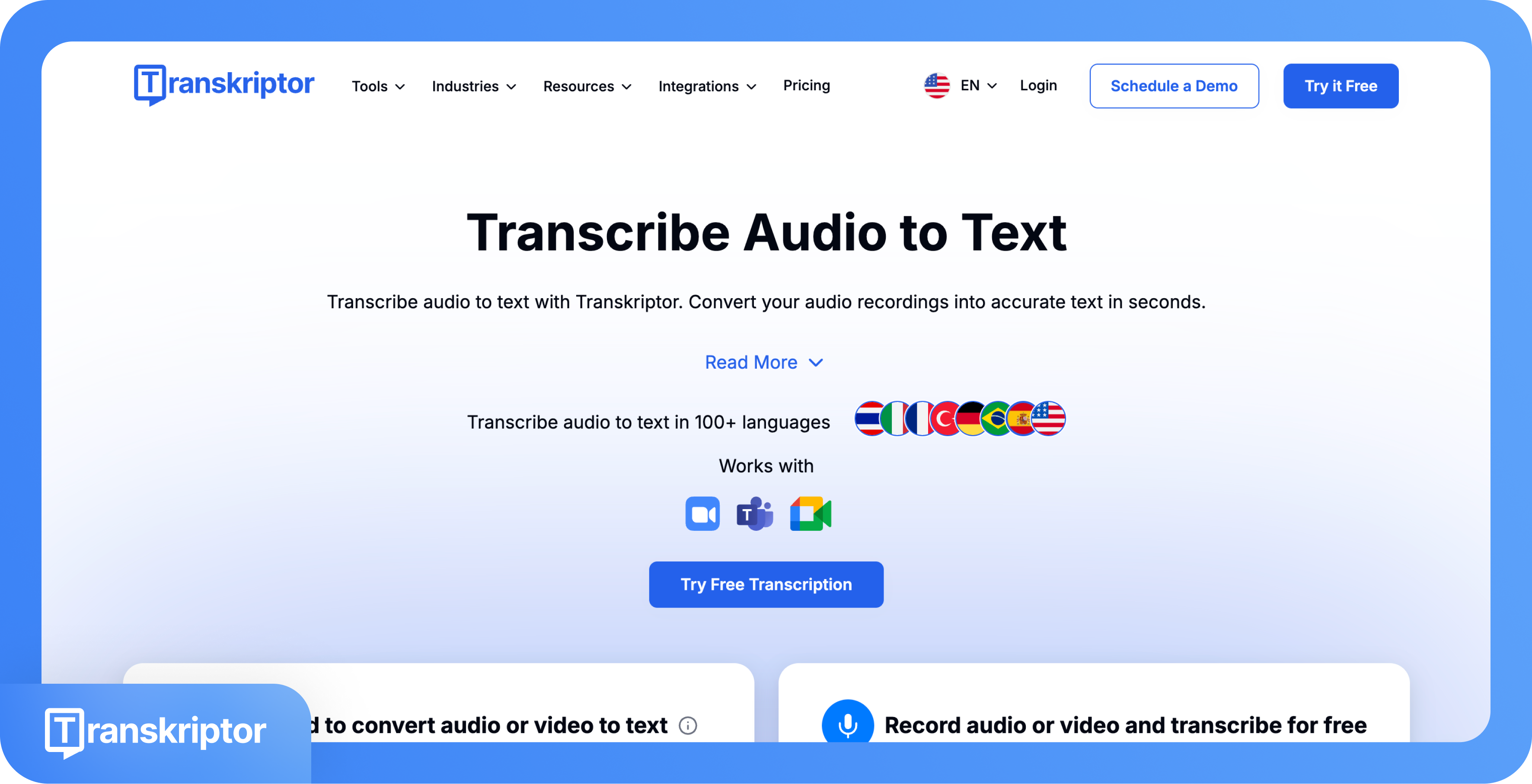
Transkriptor is the best tl;dv alternative for any user who needs transcription beyond the meeting environment. Transkriptor handles uploaded files, YouTube links, field recordings, and live meetings with higher raw accuracy and 100+ language coverage, all at a lower entry price point than tl;dv's paid plans with no per-user seat pricing.
Fireflies.ai
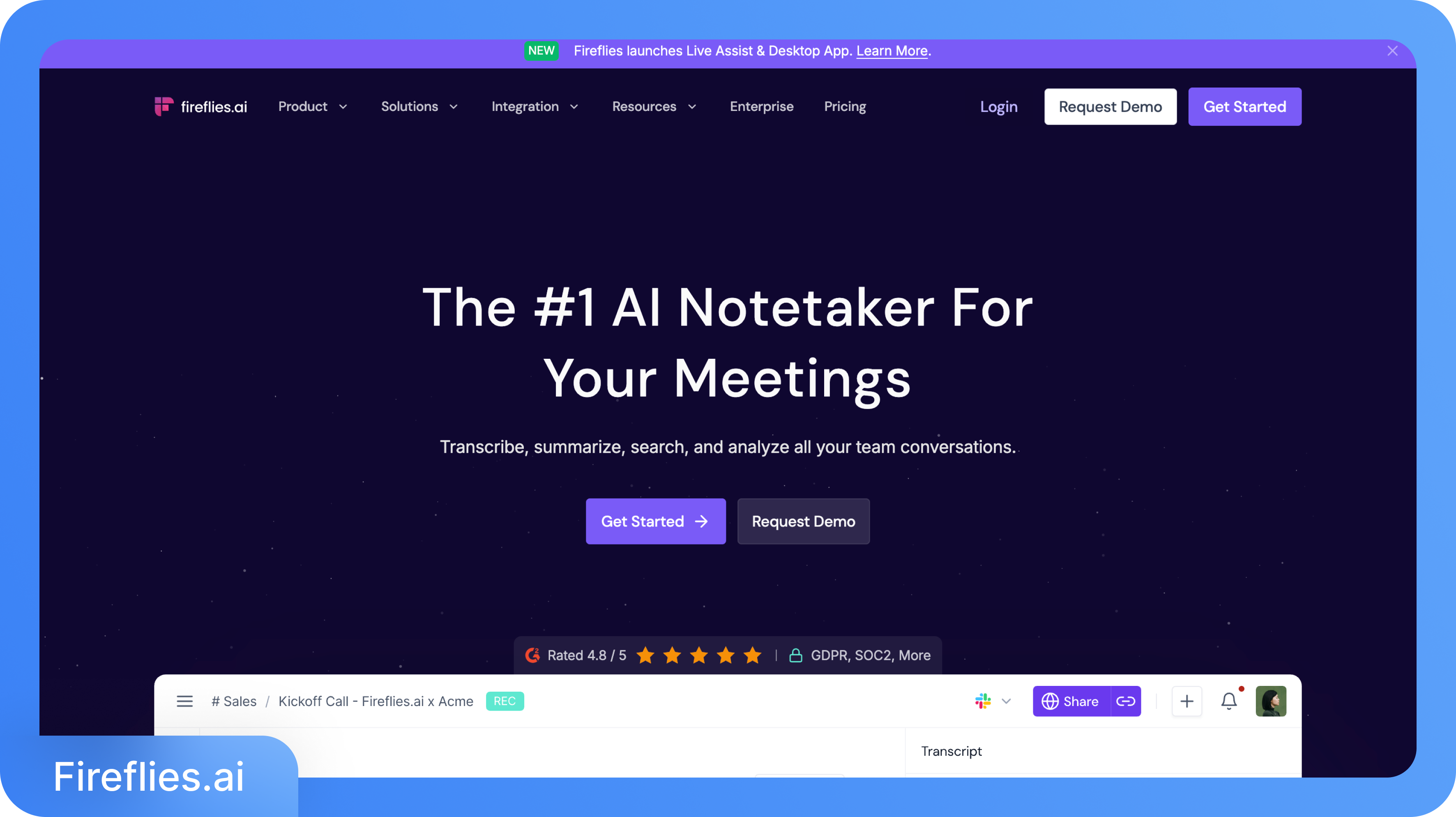
Fireflies is a direct competitor to Meeting Intelligence, with broader platform support and a more mature developer API than tl;dv's current alpha offering. Fireflies delivers deep search across your full meeting archive, sentiment analysis, and conversation intelligence features that compete directly with tl;dv's core meeting intelligence output.
Otter.ai

Otter is the strongest tl;dv alternative for teams that specifically need live transcription during meetings, a gap that neither tl;dv nor Transkriptor fills. Otter provides real-time transcription visible to all participants during the call, captures shared slides, supports collaborative live editing of the transcript, and has a long track record in both enterprise and education workflows.
Gong
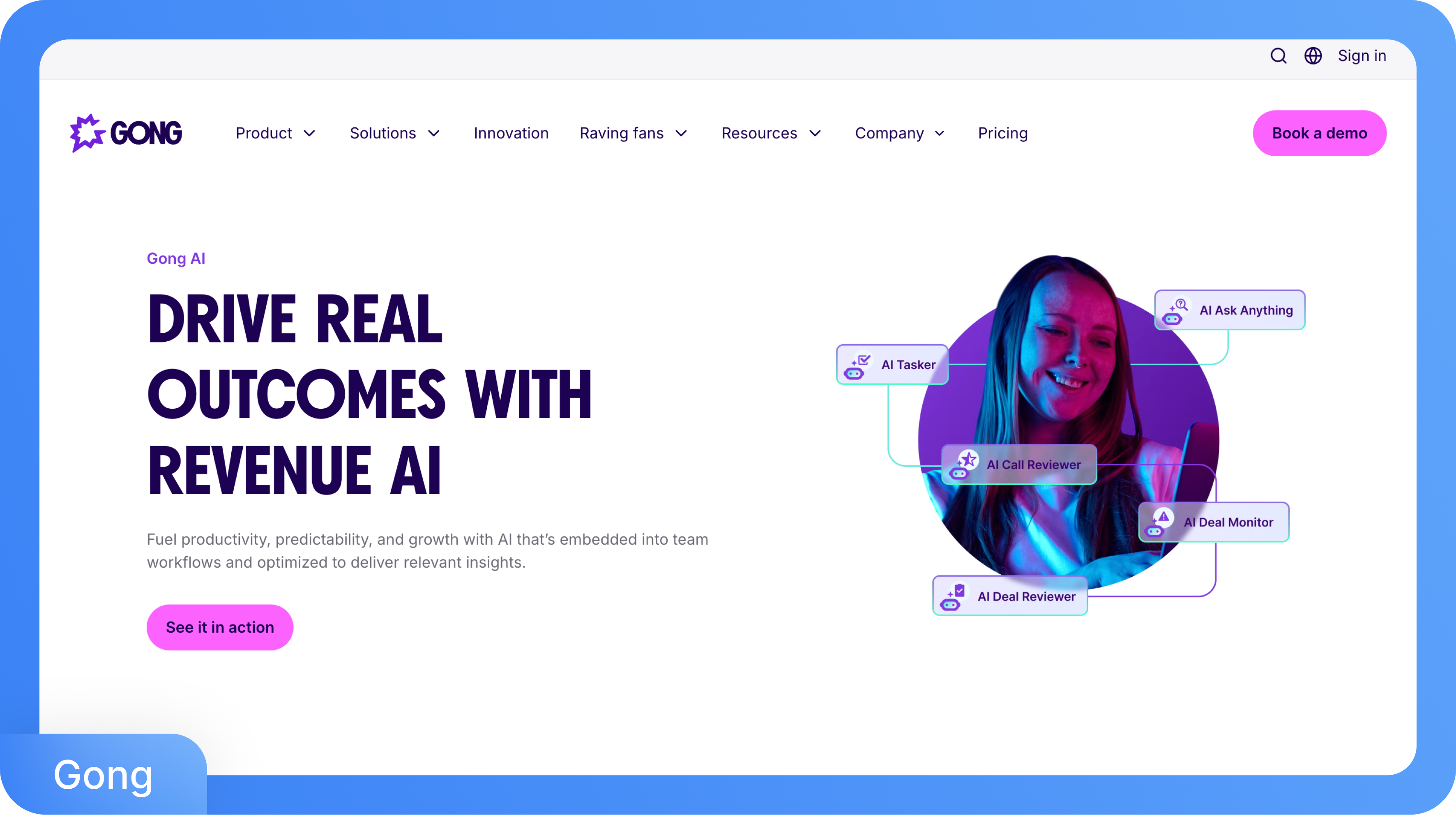
Gong is the enterprise-grade revenue intelligence platform for sales teams that have outgrown tl;dv's coaching capabilities. Gong analyzes deal risk, forecasts pipeline health, and tracks rep performance across the full sales cycle with a depth and analytical sophistication that tl;dv's Business plan does not approach.