tl;dv Review
Explore tl;dv’s features, pricing, accuracy, and limitations, along with a detailed comparison to Transkriptor and other leading AI meeting assistants.


- What is tl;dv Desktop App?
- What is the Price of tl;dv?
- What are the Core Strengths and Weaknesses of tl;dv Based on Real Usage?
- What is the App Security Level of tl;dv?
- What Type of Users Benefit the Most from tl;dv?
- How Well do tl;dv Tag Speakers During a Meeting?
- What Happens When tl;dv cannot Confidently Assign a Speaker?
- What are the tl;dv AI Alternatives?
- What is tl;dv Desktop App?
- What is the Price of tl;dv?
- What are the Core Strengths and Weaknesses of tl;dv Based on Real Usage?
- What is the App Security Level of tl;dv?
- What Type of Users Benefit the Most from tl;dv?
- How Well do tl;dv Tag Speakers During a Meeting?
- What Happens When tl;dv cannot Confidently Assign a Speaker?
- What are the tl;dv AI Alternatives?
Introduction
tl;dv short for "too long; didn't view" is an AI-powered meeting assistant that records, transcribes, and summarizes your meetings on Zoom, Google Meet, and Microsoft Teams. tl;dv deploys a bot to join your scheduled calls, captures everything said, and delivers a speaker-labeled transcript along with an AI-generated summary at the end of the meeting. With over 2 million users and support for 30+ languages, tl;dv has become a go-to productivity tool for sales teams, customer success managers, and remote workers.
Beyond basic note-taking, tl;dv offers multi-meeting AI insights, sales playbooks, CRM integrations, and a searchable meeting library. Teams use it not only to record calls but also to identify patterns across conversations, coach sales reps, and track decisions over time. However, the platform still has some limitations, including inconsistent transcription accuracy with accents and technical language, a significant pricing jump between the Pro and Business plans, and more limited language coverage compared to newer tools entering the market.
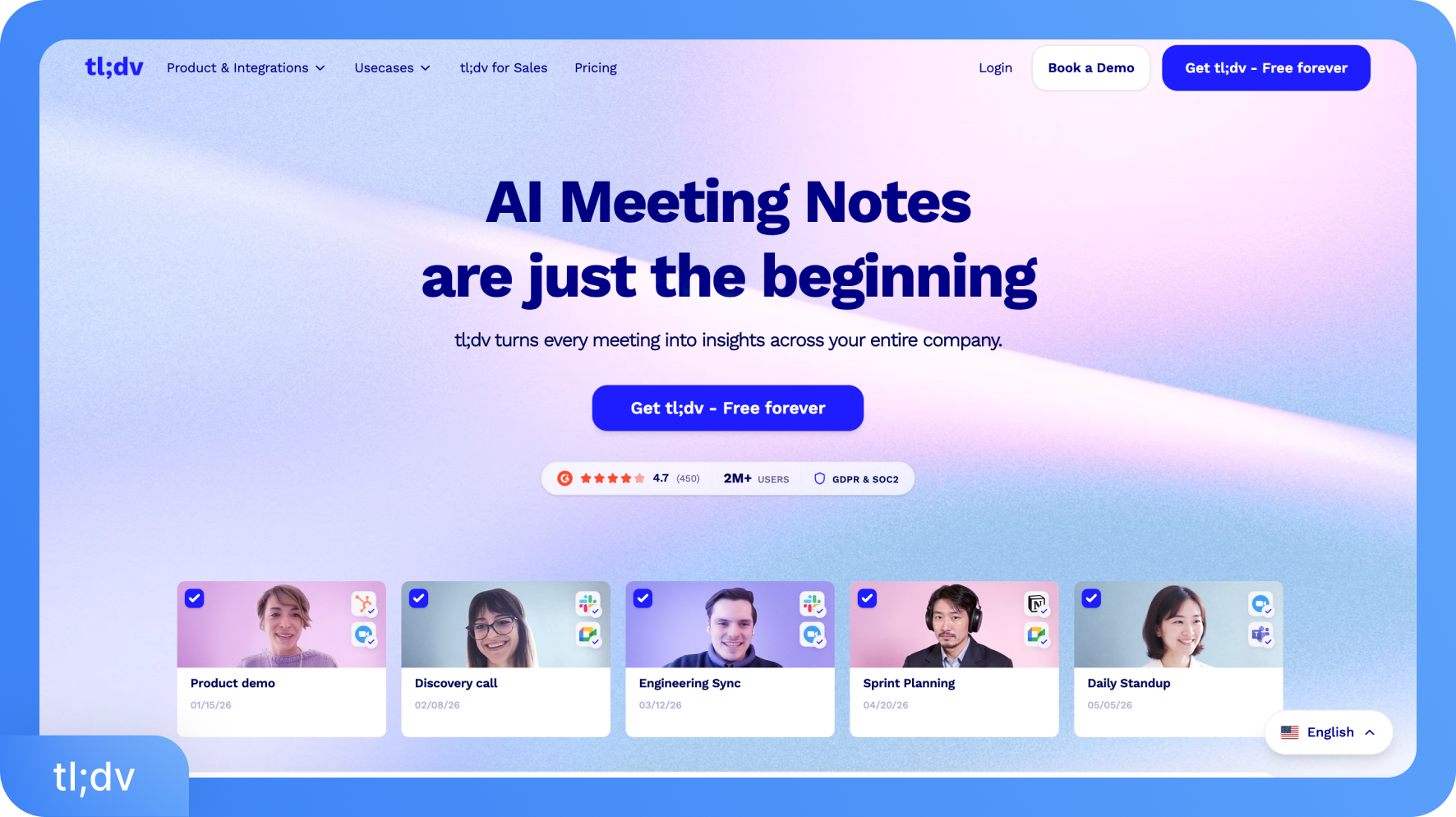
Capabilities of the tl;dv app
tl;dv turns every recorded meeting into a searchable, actionable resource that teams can reference long after the call ends. It lets sales managers coach reps against defined playbooks, gives customer success teams a full record of every client conversation, and helps product teams spot recurring themes across dozens of user interviews at once.
Beyond individual meetings, the Ask tl;dv AI chat lets users pull specific decisions, commitments, or patterns from their entire call history in seconds. For teams that run frequent, high-stakes conversations, these capabilities reduce the time spent reconstructing context and increase the time spent acting on it.
Functions of the tl;dv App
tl;dv automatically records, transcribes, and summarizes meetings on Zoom, Google Meet, and Microsoft Teams by deploying an AI bot that joins your scheduled calls. Core functions of tl;dv include speaker-labeled transcripts, AI-generated meeting notes, a searchable meeting library, and multi-meeting AI insights. tl;dv also offers video clips with highlights, sales playbooks with coaching scorecards, CRM field mapping, and an Ask tl;dv AI chat that lets you query one or multiple meetings at once.
Is tl;dv AI Safe or Not?
tl;dv is GDPR-compliant and holds SOC 2 (Type 1) certification. Data is hosted in Europe across Google Cloud Platform, AWS, and Hetzner servers, all of which are ISO 27001- and SOC 2-compliant. Recordings and transcripts are encrypted using AES-256, and all connections run over SSL. tl;dv is also compliant with the EU AI Act.
No customer data is used to train the AI. Metadata shared with its AI partner (Anthropic) is anonymized and chunked into randomized segments before processing, so no party can reconstruct a full meeting from the shared data.
Pricing Tiers for tl;dv
Free: $0
Pro: $18/month per seat
Business: $59/month per seat
Enterprise: Custom pricing
All plans, including paid ones, are governed by feature-based access tiers. Recording is unlimited on paid plans, but capabilities like transcript copying, speaker insights, cross-meeting analytics, and CRM automation are locked behind specific tiers rather than being available across the board.
Is There a Free Version of tl;dv?
Yes. tl;dv's offers a free plan. It includes unlimited meeting recordings and transcriptions in 30+ languages, though video uploads are limited to 5, and AI-powered features like meeting notes and Ask AI queries are capped at 10 per month. It is a reasonable starting point for light use, but it becomes restrictive for professionals who run multiple meetings daily.
Android and iOS Versions
tl;dv has a mobile app called tl;dv Mobile: AI Notetaker. It is available on both iOS and Android. tl;dv mobile app lets you record in-person meetings and capture audio on the go, with summaries syncing back to your desktop workspace. The full feature set, including AI notes, meeting search, and integrations, remains desktop-first.
System Necessities
tl;dv runs via a Chrome browser extension for Google Meet and a desktop app for Zoom and Microsoft Teams on Windows and Mac. No special hardware is required beyond a stable internet connection for live recording. You can also upload pre-recorded videos directly for transcription, with no stated limit on the number of uploads on paid plans.
Transcription Accuracy
tl;dv delivers around 90% transcription accuracy under standard conditions, which is adequate for general meeting notes. Accuracy can drop noticeably with heavy accents, fast speech, or technical vocabulary. Instead of tl;dv, you can try Transkriptor, which achieves 99% accuracy across 100+ languages with stronger accent handling. Transkriptor is a better choice when verbatim precision or downstream use of the transcript matters.
Company Details
Founded in 2020 by Raphael Allstadt, tl;dv is a Germany-based company that has grown to more than 2 million users worldwide. The platform has also earned recognition from G2 as a high performer in the AI meeting assistant category across multiple quarters. It includes GDPR compliance and EU-based data storage as standard features within the platform.
What are the Main Alternatives of tl;dv?
Transkriptor: Transkriptor delivers 99% transcription accuracy, supports 100+ languages, and handles strong accents effectively. It supports direct file uploads, YouTube URL transcription, and multiple export formats, including DOCX, TXT, and SRT. These AI features make Transkriptor a practical choice for creators, researchers, and teams that need precision at an accessible price point.
Otter.ai: Otter.ai is a widely used live meeting note-taker for Zoom, Google Meet, and Teams. It offers real-time transcription and automated summaries, though accuracy drops with accents and technical terms. The free plan has strict minute caps that can frustrate regular users.
Fireflies.ai: Fireflies.ai transcribes and summarizes meetings with solid CRM integration. It works across most major conferencing platforms and suits teams that want meeting automation without complex setup.
Fathom: Fathom is a clean, free AI meeting assistant known for reliable transcription and a simple interface. It works best for individuals and small teams focused on Google Meet and Zoom.
Notta: Notta supports multi-language AI transcription for both live meetings and uploaded files. It handles mixed-language conversations within a single session, making it useful for bilingual teams.
For live meeting automation and sales workflows, tl;dv is a capable tool. For high-accuracy transcription across more languages and formats, Transkriptor is the stronger choice.
What is tl;dv Desktop App?
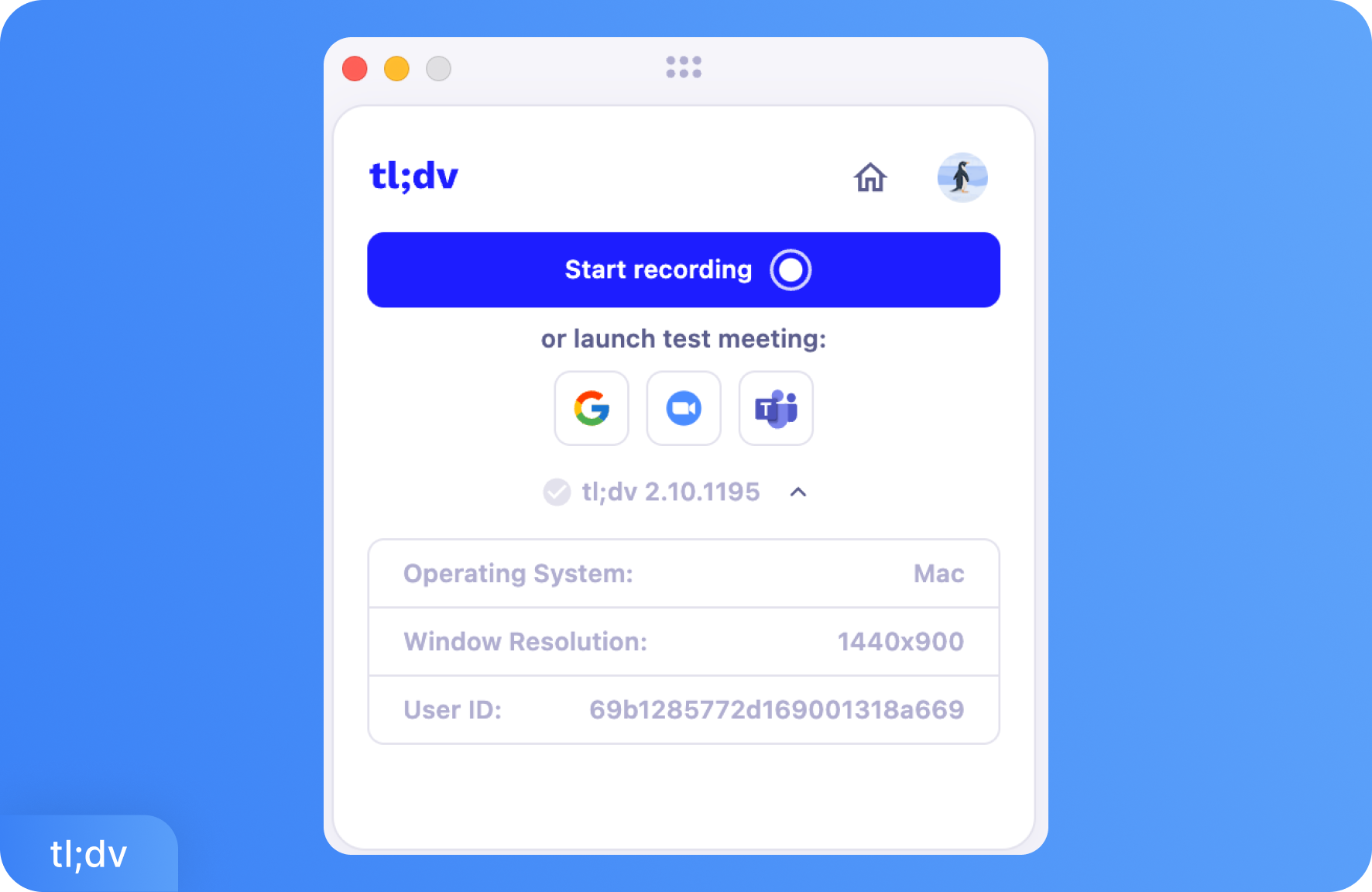
The tl;dv desktop app is a dedicated application for Windows and Mac that connects directly to your Zoom and Microsoft Teams meetings. Unlike the Chrome extension for Google Meet, the desktop app runs on your machine and handles recording and transcription without requiring a browser.
Setting up tl;dv is straightforward. You install the tl;dv app, connect your calendar, and the platform automatically detects upcoming meetings and prepares the recording bot to join supported calls. You can also manually paste a meeting link or start a session directly from inside the app if you want to record a meeting that was not pre-scheduled.
During the meeting, tl;dv runs in the background and handles everything: audio capture, speaker tracking, and recording. Once the meeting ends, tl;dv processes the session and delivers a transcript with speaker labels along with an AI-generated summary of key points and action items. This typically takes 10 to 15 minutes, depending on the length of the recording.
However, not all tl;dv features are available in the free plan. Free users can access transcripts and basic meeting notes. Viewing speaker-level insights and copying the full transcript directly from the app requires a paid plan. This is a strong limitation for teams that rely on clean transcript exports for follow-ups or documentation.
The tl;dv desktop app is purpose-built for online meetings on the three major platforms. It does not function as a standalone audio recorder or general-purpose transcription tool. If your workflow involves uploading pre-recorded files, that is handled through the tl;dv web platform rather than the desktop app.
What tl;dv can do for Different Tasks?
Sales Calls: tl;dv automatically joins Zoom or Teams sales calls, records conversations with speaker labels, and captures objections, questions, and next steps in a clear summary. Sales reps can share key call clips with managers and sync important data directly into CRMs such as HubSpot, Salesforce, or Pipedrive.
Customer Success Meetings: tl;dv records client check-ins and QBRs, storing them in a searchable library so teams can quickly reference past discussions, commitments, and exact quotes. Structured templates and shared folders keep the entire account team aligned for renewals, follow-ups, and escalations.
Recruiting and Interviews: tl;dv records candidate interviews on Google Meet, Zoom, or Teams and generates transcripts with clear speaker attribution. Hiring managers can check specific moments without scrolling, compare responses across candidates using AI search, and ensure smoother handoffs between interviewers.
Product Research and User Interviews: tl;dv captures user interviews and allows teams to tag key insights, themes, and recurring pain points from customer conversations. AI insights across multiple meetings reveal patterns, while shareable clips help product and design teams quickly understand real user feedback.
Internal Team Meetings: tl;dv records standups, planning sessions, and retrospectives so team members who miss meetings can easily catch up. AI summaries highlight decisions and action items, while searchable transcripts help teams quickly find past discussions or project updates.
tl;dv Desktop App vs. Adobe Premiere Pro
The tl;dv desktop app is better than Adobe Premiere Pro for tasks like quickly transcribing meeting recordings, searching spoken content across calls, and collaborating on notes with teammates. Adobe Premiere Pro, by contrast, is a full non-linear video editor with advanced timeline editing, color grading, audio mixing, and motion graphics. It remains the right tool once you move into cutting, styling, and finishing video content.
The important distinction is that tl;dv does not export SRT, VTT, or any structured caption format, which means it cannot feed directly into a Premiere Pro subtitle workflow. If your goal is to generate caption files from meeting recordings and import them into a video editor, tl;dv is not the right starting point. Transkriptor is the better fit for that bridge. Transkriptor exports transcription in SRT and VTT formats and handles both audio and video file uploads, making the handoff to Premiere Pro clean and straightforward.
What does tl;dv Desktop App do?
The tl;dv desktop app records, transcribes, and summarizes your meetings on Zoom, Google Meet, and Microsoft Teams directly from your computer. You can either let tl;dv bot join scheduled meetings automatically through calendar sync or paste a meeting link manually to start recording on demand. Once the meeting ends, tl;dv delivers a transcript and meeting summary.
Automatic Meeting Recording: tl;dv connects to your calendar and joins your Zoom, Google Meet, or Teams meetings as a bot, with no manual input required. You can also paste a meeting link directly into the app to record unscheduled sessions.
Speaker-Labeled Transcription: Every meeting is transcribed with speaker IDs so you can see who said what throughout the conversation. Copying the transcript is restricted to paid users. Free users can read it within the app, but cannot copy the transcript.
AI Meeting Notes: After each meeting, tl;dv generates structured notes covering key discussion points and action items. These are available automatically without any manual prompting.
Speaker Insights: Detailed speaker-level analytics, including talk-time breakdowns and question counts, are available on paid plans. Free users do not have access to this section of the post-meeting report.
Ask tl;dv: The in-app AI chat lets you ask questions about a specific meeting's content. You can query what was discussed, what decisions were made, or what a specific person said. Multi-meeting queries across your library require a paid plan.
Clips and Highlights: You can clip specific moments from the recording and share them with teammates or external stakeholders. This replaces the need to send a full recording when only one part of the conversation is relevant.
Can Transkriptor Perform all the Tasks That tl;dv Does?
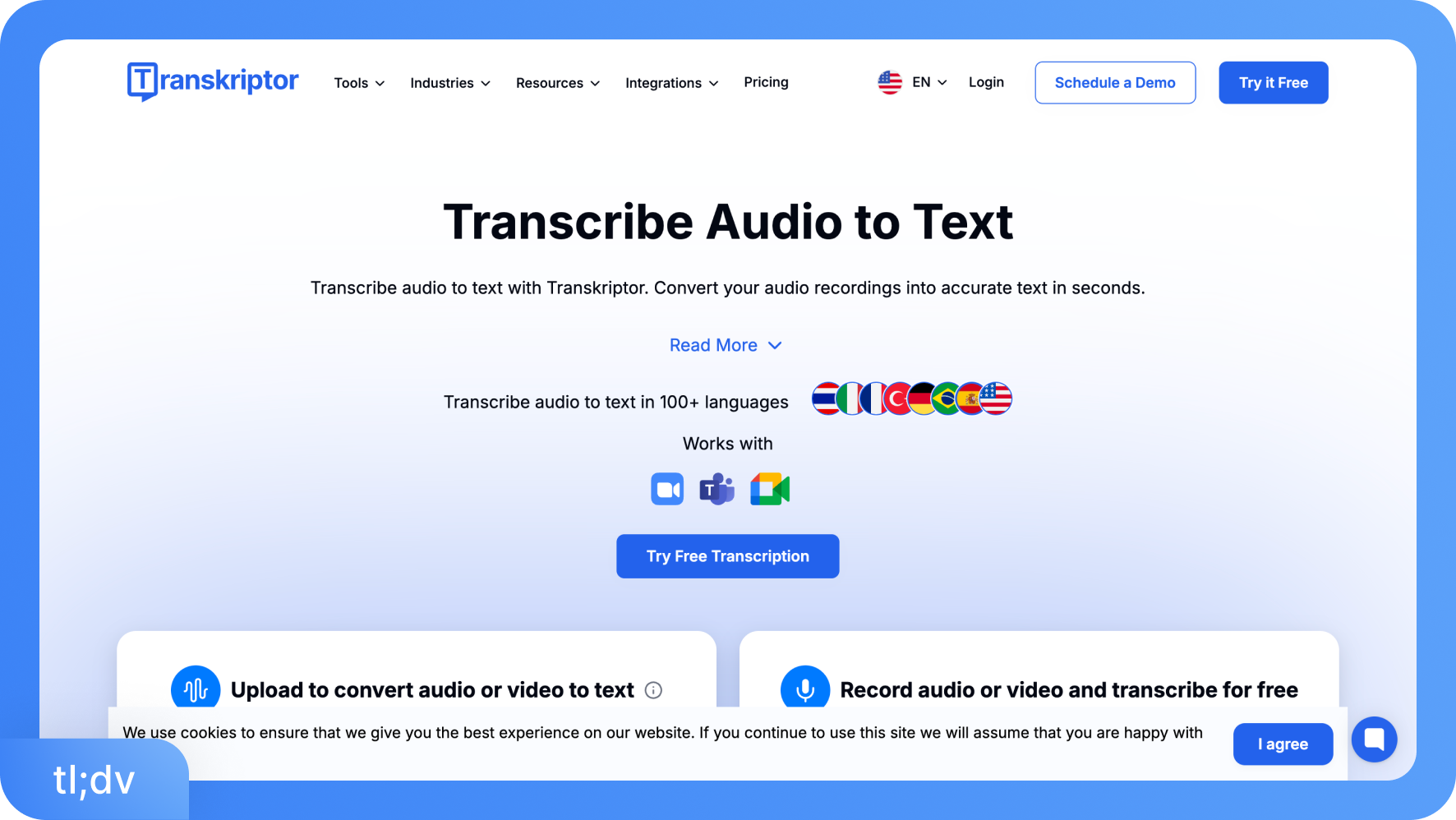
Transkriptor not only covers the core tasks tl;dv handles, but also outperforms them in several areas that matter most for day-to-day transcription work. Transkriptor delivers 99% transcription accuracy compared to tl;dv's 90%, supports 100+ languages versus tl;dv's 30+, and offers export formats including WORD, plain text, SRT, and VTT, which tl;dv does not offer.
On top of that, Transkriptor provides in-depth AI meeting summaries, a built-in AI chat for querying transcripts, and easy sign-in via Apple and Microsoft accounts, making it a more complete and accessible tool for individuals and teams who need precision and flexibility.
How Does tl;dv Transcribe Audio?
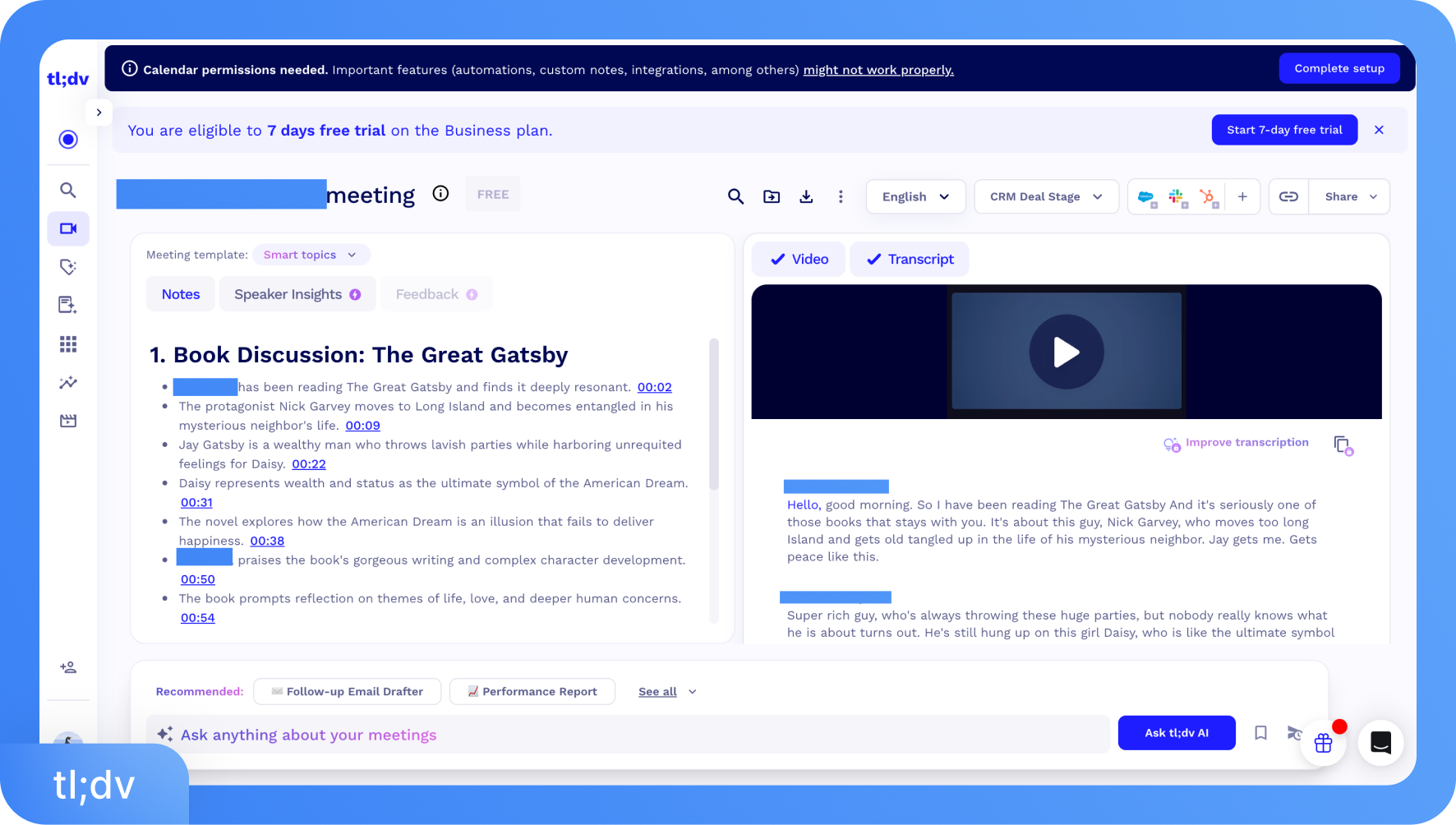
tl;dv captures audio in real time during live meetings on Zoom, Google Meet, and Microsoft Teams through its AI bot, which joins the call as a visible participant and records the full session. Once the meeting ends, the audio is processed, and tl;dv generates a speaker-labeled transcript. Users can also upload pre-recorded audio files directly through the tl;dv web platform for transcription, and there is no stated cap on the number of files you can upload on paid plans. But free users are limited to five file uploads per month.
How Does tl;dv Transcribe Video?
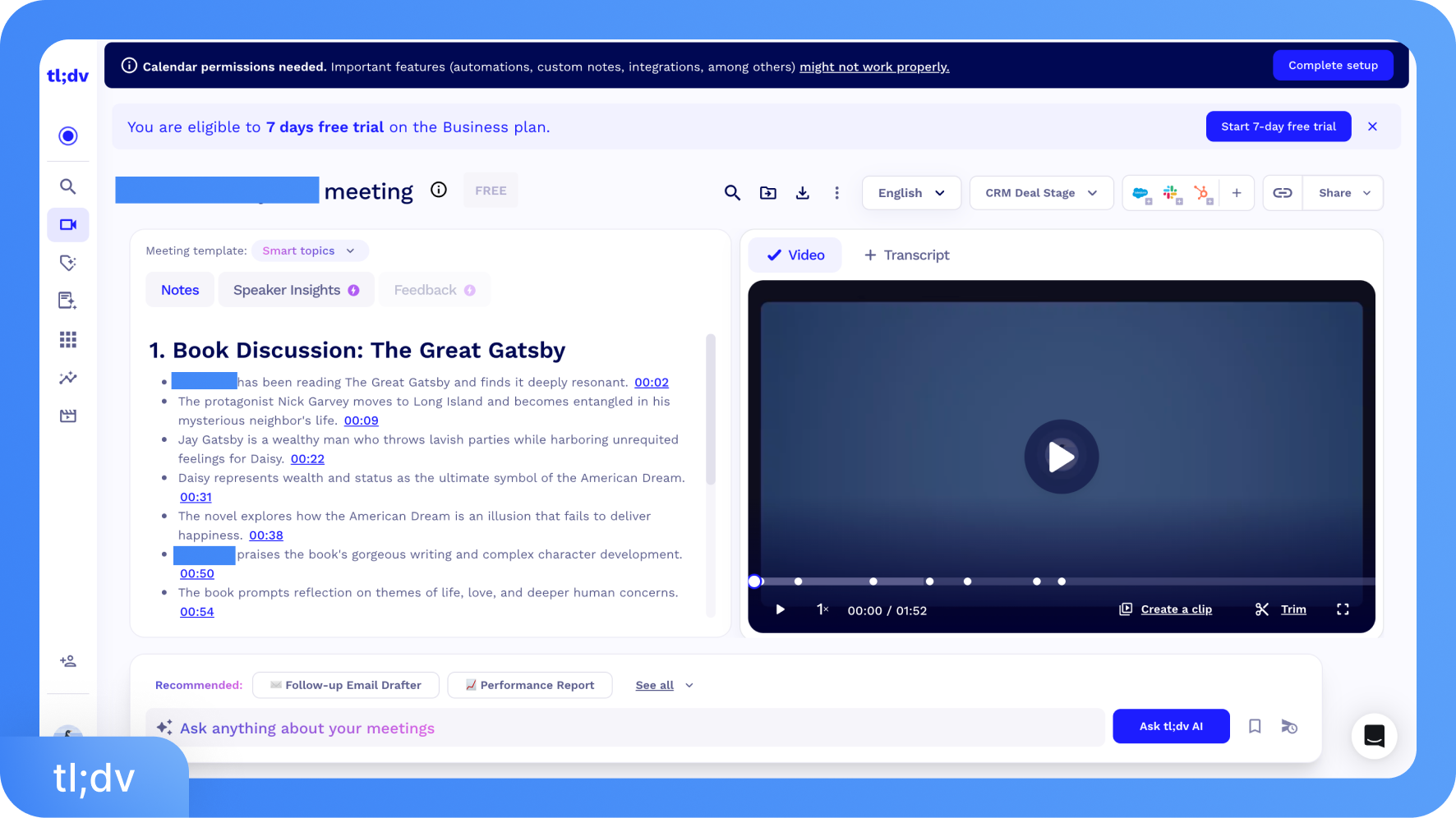
tl;dv transcribes videos and live meetings by employing AI-powered bots that join Zoom, Google Meet, or Microsoft Teams calls, or by processing uploaded video files. It uses advanced speech-to-text technology to generate transcripts in 30+ languages, offering speaker identification, automatic summarization, and searchable, editable text.
What is the Price of tl;dv?
tl;dv offers a permanent free plan along with three paid tiers. Paid plans start at $18 per seat per month on annual billing for the Pro plan and go up to $59 per seat per month for the Business plan. Enterprise pricing is available on request for larger organizations with custom requirements.
What are the Subscription Tiers for tl;dv?
Free Plan: The free plan is permanent with no expiry date. It includes unlimited meeting recordings and transcriptions across 30+ languages, five audio or video file uploads per month, AI meeting notes for up to 10 meetings, and up to 10 Ask AI queries. Basic Slack and calendar integrations are included. Speaker recognition is available, but copying transcripts and accessing speaker-level insights require a paid plan. This tier works well for individuals who want to test the product or have a light meeting load.
Pro Plan: The Pro plan costs $18 per seat per month on annual billing or $26 per seat per month on monthly billing. It removes the caps on AI meeting notes and Ask AI queries, unlocks unlimited file uploads and storage, enables global transcript search across your entire meeting library, and provides access to 5,000+ app integrations. Team folders and priority support are also included. This tier suits individual professionals and small teams who run frequent meetings and need unrestricted access to transcripts and AI features.
Business Plan: The Business Plan costs $59 per seat per month on an annual billing plan or $98 per seat per month on a monthly billing plan. It includes everything in Pro and adds sales playbooks and AI coaching, multi-meeting AI insights across your entire call library, scheduled recurring reports, and direct CRM field mapping to tools like HubSpot, Salesforce, and Pipedrive. This tier is built specifically for sales teams and customer-facing roles where coaching, pattern recognition across meetings, and automated CRM updates matter.
Enterprise Plan: Enterprise pricing is custom and tailored to each organization. It includes privately hosted AI, advanced admin controls and user provisioning, single sign-on (SSO), a dedicated customer success manager, custom invoicing, and advanced data management features. This tier suits larger companies with strict compliance requirements or teams that need deeper control over how meeting data is handled and stored.
Is There a Premium Version of tl;dv App?
Yes. tl;dv's paid plans, Pro and Business, are its premium tiers. The Pro plan starts at $18 per seat per month on annual billing and removes AI usage limits while unlocking integrations, unlimited uploads, and global search. The Business plan at $59 per seat per month adds advanced features like AI coaching, cross-meeting analytics, and CRM automation designed for sales and customer success teams.
Are the Recording-Minute Limits Reasonable for a Paid Plan?
tl;dv does not impose monthly recording-minute caps on paid plans in the traditional sense. The Pro and Business plans offer unlimited meeting recordings and transcriptions. The more practical limitations are feature-based rather than minute-based. Certain capabilities, such as speaker insights, transcript copying, cross-meeting AI queries, and CRM mapping, are locked behind specific tiers.
For teams running high volumes of meetings, the recording side is not the bottleneck. The bottleneck is access to the deeper analytical features, which require the Business plan. Free users, however, face real constraints: only 10 AI notes and 10 Ask AI queries per month, which quickly run out in active work environments.
Do you Need the Business Plan to Remove Recording Limits?
The short answer is no for recording itself, but yes if you want the full feature set without meaningful restrictions. The Pro plan already covers unlimited recordings, transcriptions, and file uploads. What the Business plan actually unlocks is a different layer: multi-meeting AI insights, sales playbooks and coaching scorecards, scheduled AI reports, and direct CRM field mapping.
If your team's primary need is simply to record and transcribe every meeting without caps, the Pro plan covers that. But if you need to analyze patterns across dozens of calls, automate CRM updates after each meeting, or coach reps against a defined playbook, the Business plan becomes necessary.
Many sales-heavy teams find the jump from Pro to Business pricing from $18 to $59 per seat per month on annual billing a significant step, and it is worth confirming your team will actively use the coaching and analytics features before committing.
What are the Core Strengths and Weaknesses of tl;dv Based on Real Usage?
tl;dv is widely used as a reliable meeting recorder and AI note-taker, praised for its generous free plan, clean interface, and solid calendar integrations. However, its transcription accuracy declines with accents and technical terms and offers generic AI summaries. tl;dv offers limited language support, and there is a steep pricing gap between the Pro and Business plans. The table below distills the most common patterns from real user feedback:
| Feature | Strengths | Weaknesses | Comments | Workaround |
|---|---|---|---|---|
| Live meeting transcription & summaries | Automatic bot joins meetings and records conversations with speaker labels and AI notes. | Summaries can be generic and sometimes miss nuance; action items may require manual cleanup. | Useful for general recall but not reliable for verbatim records or client-ready documentation. | Manually review transcripts or run them through a precision tool like Transkriptor for final accuracy. |
| Ease of use & UX | Clean interface with smooth calendar sync and simple bot setup for Zoom, Meet, and Teams. | Meeting library becomes harder to manage as recordings grow; folder organization is basic. | Works well for individuals and small teams, but gets messy at scale. | Maintain consistent naming conventions and export key meetings to tools like Notion or Docs. |
| Transcription accuracy | Around 90% accuracy with clear audio and standard accents, which is fine for meeting notes. | Accuracy drops with accents, cross-talk, fast speakers, or technical vocabulary. | Acceptable for internal notes but not for legal or publication-level transcripts. | Use a higher-accuracy transcription tool such as Transkriptor when precision is critical. |
| Speaker identification | Automatically labels speakers so users can follow who said what in group meetings. | Speaker labels can be incorrect in larger calls or when audio quality is inconsistent. | Attribution errors may affect summaries and action items in stakeholder-heavy meetings. | Manually correct speaker labels before sharing or archiving important transcripts. |
| Limits & pricing | The free plan is usable, and Pro removes most limits for regular users. | Business plan jumps to $59 per seat/month, a large increase from Pro’s $18. | Pro suits most individuals; Business mainly benefits sales or CS teams using analytics and coaching tools. | Evaluate whether CRM mapping and playbooks are necessary before upgrading. |
| Language support | Supports 30+ languages with automatic detection and mid-session switching. | Coverage is limited compared to multilingual transcription tools; some regional languages are missing. | Works for teams using common European or Asian languages, but less for highly global teams. | Use a multilingual transcription tool like Transkriptor for broader language coverage. |
| Mobile & cross-platform use | The Mobile Lite app on iOS and Android allows in-person meeting recording with workspace sync. | Mobile version is limited; most AI features and integrations are desktop-only. | Good for capturing conversations on the go, but not for full workflow management. | Record on mobile, then review and edit recordings on the desktop or web app. |
| Customer support & reliability | Helpful documentation and responsive chat support for paid users. | Free users may experience slower responses, and there is no account manager below the Enterprise tier. | Paid plans receive reasonable support, while free users may face delays. | Upgrade to Pro for faster support; Enterprise is best suited for mission-critical workflows. |
What are the Pros of tl;dv?
tl;dv brings genuine value to teams that run frequent meetings and need more than just a recording. Its strongest points are around ease of setup, meeting automation, and the depth of features available even on the free tier. Here are the standout pros based on real usage:
Generous Free Plan: Unlimited recordings and transcriptions with no time limit. Rare among AI meeting tools at this price point.
Automatic Meeting Bot: Joins scheduled Zoom, Google Meet, and Teams calls without manual input once the calendar is connected.
Speaker-Labeled Transcripts: Clearly attribute speech to individual participants, making transcripts easier to read and review.
AI Meeting Notes: Generates structured summaries with key points and action items automatically after each session.
Multi-Meeting AI Insights: The ability to query patterns and themes across dozens of calls is a standout feature for sales and research teams.
Sales Playbooks and Coaching: Business plan users can define call frameworks and score meetings against them, which is useful for training and quality control.
Searchable Meeting Library: Every past recording and transcript is searchable, turning your call history into a working knowledge base.
6,000+ Integrations: Connects with CRMs, project management tools, Slack, Notion, and more via native integrations and Zapier.
GDPR Compliant by Default: European-hosted infrastructure with strong privacy controls built into the product rather than bolted on.
Automatic Language Detection: Detects and transcribes language switches mid-meeting without manual settings changes.
What are the Integrations for tl;dv?
tl;dv integrates with CRMs, collaboration tools, project management platforms, calendars, storage tools, and automation platforms. Teams use these integrations to move meeting insights into the tools they already use for sales, documentation, and project tracking.
CRMs: tl;dv connects with HubSpot, Salesforce, and Pipedrive. Teams can push meeting notes and insights directly into CRM records. The Business plan also supports CRM field mapping.
Collaboration Tools: tl;dv sends meeting summaries and clips to tools such as Slack and Notion so teams can review discussions quickly.
Project Management Platforms: tl;dv integrates with Asana, Linear, and ClickUp. Teams can convert meeting decisions into tasks.
Automation Platforms: tl;dv connects with Zapier and tools like Google Drive and Dropbox to store recordings and automate workflows.
How Integrations Work
Once you connect tl;dv to your calendar and conduct the meeting, it processes the recording and generates a transcript, notes, and summary. From there, the integration layer takes over. If a CRM is connected, key call data is automatically mapped to the relevant fields, eliminating manual entry. For Slack, a summary can be posted to a designated channel once the meeting wraps up.
For project management tools, action items extracted from the meeting can be sent as tasks. Connections are configured once in tl;dv's settings, and from that point on, they run automatically after each recorded meeting. For tools not covered by native integrations, Zapier or the tl;dv API handles the connection.
What are the supported languages for tl;dv?
tl;dv supports transcription in 30+ languages, covering most major European, East Asian, and South Asian languages. The fully supported list includes:
Arabic (Egypt)
Arabic (Jordan)
Arabic (Lebanon)
Arabic (Qatar)
Arabic (Saudi Arabia)
Arabic (UAE)
Bulgarian
Catalan
Chinese (Mandarin)
Croatian
Czech
Danish
Dutch
English
English (Aus)
English (Hindi)
English (UK)
Filipino
French
German
Greek
Hebrew
Hindi
Hungarian
Indonesian
Italian
Japanese
Korean
Norwegian
Polish
Portuguese (BR)
Portuguese (PT)
Romanian
Russian
Slovak
Slovenian
Spanish
Spanish (Mexico)
Swedish
Thai
Turkish
Ukrainian
How Language Support Works
tl;dv uses automatic language detection, meaning you do not need to set a language before the meeting starts. It identifies the language being spoken in real time and transcribes accordingly.
If participants switch languages mid-meeting, for example, starting in English and shifting to French, tl;dv continues transcribing in whichever language is spoken without any manual intervention. Summaries are generated in the detected language.
That said, accuracy is stronger for high-resource languages like English, Spanish, and French. Less common languages or regional dialects may see lower transcription quality.
What are the Supported Operational Systems for tl;dv?
tl;dv runs on both Windows and macOS through its desktop app, which is required for recording Zoom and Microsoft Teams meetings. Google Meet is handled via a Chrome browser extension, which works on any operating system that supports Chrome.
The web platform is accessible from any modern browser. The tl;dv Mobile Lite app is available on iOS and Android for in-person meeting capture. There is no native Linux desktop app. For Linux users, the Chrome extension covers Google Meet, but Zoom and Teams recording require the desktop app, which is currently limited to Windows and Mac.
Does tl;dv Have a Limit?
Yes. Limits vary by plan. The free plan caps AI meeting notes at 10 per month, Ask AI queries at 10 per month, and file uploads at 5 per month. Transcript copying is restricted to paid users, and speaker-level insights are not accessible on the free tier. On paid plans, the limits shift from usage caps to feature access.
Pro users cannot access multi-meeting insights, CRM field mapping, or AI coaching without upgrading to Business. Even on Business, privately hosted AI and advanced admin controls are reserved for Enterprise. So while recording itself is unlimited on all paid plans, the depth of what you can do with those recordings is gated at every tier.
Is tl;dv better than Transkriptor?
Not if accuracy, language coverage, and transcript flexibility are the priority. tl;dv is a strong meeting automation tool designed for recording calls, sales coaching, and CRM integration, but its transcription accuracy is around 90%, it supports only 30+ languages, and transcript export options are limited.
Free users also cannot copy transcripts without upgrading. In contrast, Transkriptor delivers up to 99% accuracy, supports 100+ languages with better accent handling, and allows exports in formats like WORD, DOCX, SRT, VTT, and plain text. It also includes AI summaries, transcript chat, and simple sign-in via Apple or Microsoft, making it a better choice for users who need clean, reliable transcripts.
Is tl;dv really free?
Yes. tl;dv's free plan has no expiry date, and you do not require a credit card. It includes unlimited meeting recordings and transcriptions across 30+ languages, which is genuinely rare at zero cost. Free users get AI meeting notes for up to 10 meetings per month, 10 Ask AI queries, 5 file uploads, speaker recognition, and basic Slack and calendar integrations.
What are the cons of tl;dv?
tl;dv is a capable audio and video transcription tool, but real-world use surfaces some consistent frustrations that affect both free and paid users. Here are the cons of tl;dv:
Transcription Accuracy Drops: The 90% accuracy benchmark applies to clear, standard audio. Complex conversations see noticeably more errors.
Generic AI Summaries: Notes frequently miss the specific details that matter and require manual editing before they are usable.
30+ Languages Supported: Teams working across more diverse language groups will find tl;dv insufficient.
No Transcript Export Formats: Free users cannot copy or download their transcripts. Paid users can access the text, but tl;dv does not offer structured export formats such as WORD, DOCX, SRT, or VTT.
Steep Jump Between Pro and Business: Going from $18 to $59 per seat per month is a significant cost increase for features that many mid-sized teams need.
Mobile App is Limited: tl;dv Mobile Lite covers basic in-person recording but lacks the full AI features available on desktop.
Speaker Misidentification in Larger Calls: The system regularly mislabels speakers, which in turn affects summary accuracy and action-item attribution.
Desktop App Required for Zoom and Teams: Users who prefer browser-based tools have to install and maintain the desktop app to record on these platforms.
What are the biggest pain points when using tl;dv day-to-day?
Most teams notice tl;dv’s real limitations when they start relying on it for meetings that affect clients, projects, or internal decisions. These issues appear most often in daily use:
Accuracy Issues: Transcription accuracy drops when audio becomes complex. Accents, fast speakers, and overlapping voices create frequent errors. Cleaning a one-hour transcript often takes 20–30 minutes.
Weak Summaries: AI summaries capture that a topic appeared, but often skip the exact decision or commitment. Most teams review and edit the summary before they share it.
Limited Languages: tl;dv supports only about 30+ languages. Global teams often reach this limit, especially when meetings include regional languages or mixed-language conversations.
Transcript Paywall: Free users can read transcripts inside the app, but cannot copy or export them. Teams must upgrade to move transcripts outside the platform.
Export Limitations: tl;dv does not provide structured export formats such as DOCX, SRT, VTT, or WORD files. Teams that need formatted transcripts for documentation or captions must rely on other tools.
Speaker Mix-ups: tl;dv sometimes assigns speech to the wrong person. When that happens, the mistake flows into summaries and action items. Teams must open the transcript and correct it manually.
How often do transcription errors slow down the workflow?
For meetings with clear audio and standard accents, errors are occasional and easy to fix. The problem becomes consistent when any of the following conditions apply: heavy accents, overlapping speakers, technical jargon, or poor microphone quality.
In those cases, errors appear frequently enough that the transcript cannot be trusted without review. A one-hour meeting recorded in less-than-ideal audio conditions can realistically require 20 to 30 minutes of correction work before the transcript is clean enough to share or file.
Are automatic summaries too generic or buzzword-heavy?
Yes, and it is one of the most commonly raised complaints in real user reviews. tl;dv's AI summaries tend to identify that a topic was discussed without capturing what was actually resolved.
Phrases like "the team aligned on next steps" or "key priorities were discussed" appear frequently and offer little actionable value. Specific names, numbers, decisions, and commitments are often absent or paraphrased so loosely as to be unreliable.
What is the App Security Level of tl;dv?
tl;dv is SOC 2 (Type 1) certified and fully GDPR compliant. All data is encrypted at rest using AES-256 and transmitted over SSL. Infrastructure runs on EU-based servers across Google Cloud Platform, AWS, and Hetzner, all certified ISO 27001 and SOC 2 compliant.
The platform is also EU AI Act compliant, and users can choose whether AI processing runs on EU or US infrastructure depending on their compliance requirements. On the data privacy side, tl;dv does not use customer meeting content to train its AI. Metadata shared with its AI partner is anonymized and chunked into randomized fragments before processing, meaning no external party can reconstruct a full meeting from what is shared.
Recordings and transcripts are private by default, with permission-based access controls determining who can view or share them. For organizations handling sensitive or regulated content, the Enterprise plan adds privately hosted AI and advanced admin controls for complete data isolation.
Is tl;dv legit?
Yes. tl;dv is a legitimate product used by over 2 million people globally. It is a registered company based in Germany, holds SOC 2 certification, is listed on G2 and Capterra with verified reviews, and has been covered by TechCrunch.
What Type of Users Benefit the Most from tl;dv?
tl;dv works best for professionals and teams whose work depends heavily on conversations, people who need to act on what was said in meetings rather than just remember it. The tool adds most value where meetings are frequent, decisions accumulate over time, and follow-through matters.
Sales Teams: Record and review calls, track objections, coach reps against playbooks, and auto-fill CRM fields after each meeting.
Customer Success Managers: Keep a searchable record of every client conversation to support renewals, QBRs, and escalations.
Product and Research Teams: Capture user interviews, spot recurring feedback themes across multiple sessions, and share clips directly with design or development.
HR and Recruiters: Record interviews with speaker attribution and compare candidate responses without relying on memory or handwritten notes.
Remote and Distributed Teams: Ensure absent team members can catch up on decisions without needing a second meeting.
How does tl;dv Compare to Other Meeting Assistants Like Zoom or Teams?
Zoom and Microsoft Teams have built-in recording and basic transcription, but these are tightly locked to their own ecosystems. Zoom's AI Companion and Teams' Copilot only work within their respective platforms, and their outputs, summaries, and transcripts stay within those environments. tl;dv works across all three platforms simultaneously and brings the outputs into a single searchable library.
tl;dv also adds layers that Zoom and Teams do not offer: cross-meeting AI insights, sales playbooks, coaching scorecards, and CRM field mapping. For teams that work across multiple conferencing tools or need to do more with meeting data than just store a recording, tl;dv is considerably more capable than the native options.
How well does tl;dv integrate with calendar apps like Google, Slack, or Microsoft?
tl;dv connects with Google Calendar and Outlook to auto-join scheduled meetings, and posts summaries to Slack channels once a meeting ends. Microsoft 365 calendar sync is supported on all paid plans. Setup takes a few minutes and runs automatically from that point.
How Quickly does tl;dv Finalize a Transcript After the Recording Ends?
tl;dv processes transcripts close to real time for live meetings, but post-meeting finalization takes longer than most users expect. A one-minute video upload typically takes around 10 minutes to return a completed transcript. Longer recordings scale proportionally, meaning a one-hour session can take well over an hour to fully process.
How Accurate are tl;dv Transcripts for Different Accents and Speaking Styles?
Accuracy holds up reasonably well for standard accents in clear audio. It becomes unreliable with non-native or regional accents. One G2 reviewer noted that the AI does not always pick up accents well, particularly in fast or overlapping speech.
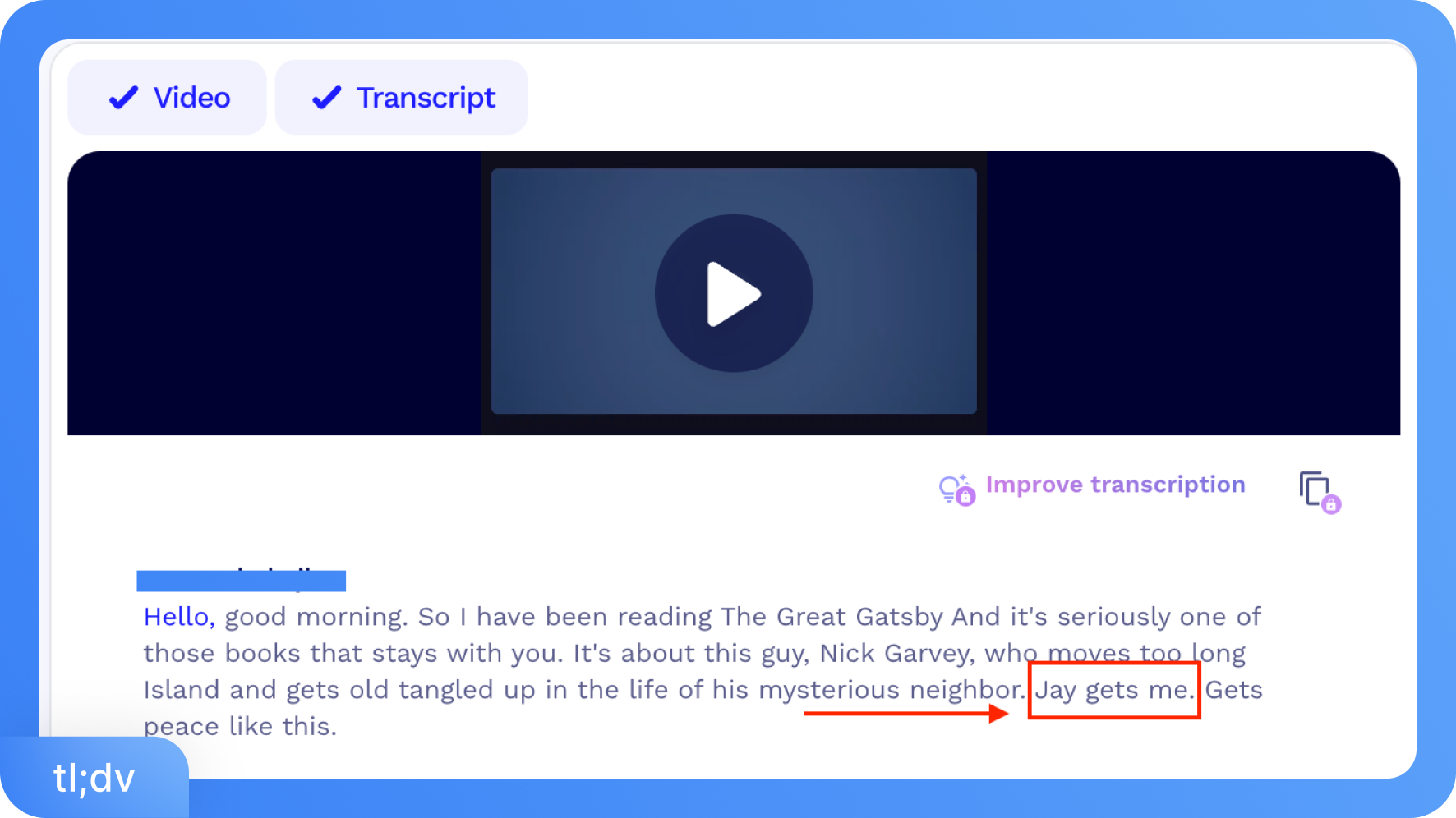
Users working with Indian English, Australian English, or mixed-language conversations report noticeably more errors. During the online meeting, participants talked about The Great Gatsby. tl;dv once captured the name correctly, but the second time, when speaking with a different accent, it was transcribed as "Jay gets me."
Does tl;dv struggle with proper nouns, acronyms, or technical terms?
Yes. tl;dv has a very limited custom vocabulary feature in premium, which means product names, industry jargon, and acronyms are frequently mistranscribed. Reviewers in technical fields like biotech and fintech report spending considerable time manually correcting these errors after every meeting.
Does tl;dv split continuous speech unnaturally or merge speakers incorrectly?
Yes. Speaker merging is a recurring complaint. tl;dv works well in structured one-on-one calls but misidentifies or merges speakers in larger meetings where people interrupt or overlap, which then carries errors into summaries and action items.
How much manual cleaning do tl;dv transcripts typically require?
For clean audio with standard accents, light editing is usually enough. For anything more complex, technical vocabulary, accented speech, overlapping speakers, or poor microphone quality, the cleanup burden grows significantly.
Uploading a one-hour meeting recording can realistically require 20 to 30 minutes of manual correction before the transcript is accurate and usable. Teams that rely on transcripts for client records or compliance documentation should factor in this editing time into their workflow.
How Well do tl;dv Tag Speakers During a Meeting?
tl;dv automatically tags speakers using audio-based recognition and assigns labels tied to meeting profiles where possible. It performs reliably in structured one-on-one calls and small meetings where participants take clear turns. In larger sessions or noisier audio environments, labeling becomes inconsistent. Speaker labels can be renamed manually after the meeting, but this adds editing time that the tool is supposed to save.
Can tl;dv Correctly Identify Multiple Speakers Without Manual Adjustments?
No, tl;dv does not correctly identify multiple speakers, especially in larger meetings. The system struggles when more than two or three people speak in the same call. Overlapping speech, interruptions, and fast back-and-forth conversations often cause speaker misidentification.
tl;dv also does not offer custom voice training, so it cannot learn to recognize recurring speakers across different meetings. As a result, teams usually need to review the transcript and manually correct speaker labels for calls with four or more participants.
What Happens When tl;dv cannot Confidently Assign a Speaker?
tl;dv falls back to generic labels like "Speaker 1" and "Speaker 2" when it cannot identify a participant. These labels carry directly into AI summaries and action items, making them difficult to act on without cross-referencing the full transcript for meetings where attribution matters, client calls, sales follow-ups, and compliance records. This fallback creates a meaningful reliability gap.
How Limiting are tl;dv's Monthly Recording-Minute Caps?
Paid plans offer unlimited meeting recordings, so minute caps are not the main constraint. The real limits are feature-based; free users hit 10 AI notes and 10 Ask AI queries per month, which runs out quickly in active work environments. Some users also report problems with transcript generation. In certain cases, the tool fails to generate a transcript after a meeting. This makes long or important sessions harder to rely on for accurate documentation.
Does the upload limit in Basic and Pro plans impact real workflows?
Yes. Free users are capped at five file uploads per month, which is not enough for anyone regularly transcribing pre-recorded content alongside live meetings. The Pro plan removes this cap, but it costs $18 per seat per month. For users whose primary need is file transcription rather than live meeting automation, that is a high price to unlock a feature that dedicated tools like Transkriptor handle more affordably and at higher accuracy.
How do tl;dv's Restrictions Compare to Other Transcription Tools?
tl;dv's restrictions are feature-based rather than minute-based on paid plans, which suits teams focused on live meeting capture. Transkriptor, by comparison, supports 100+ languages versus tl;dv's 30+, delivers 99% accuracy against tl;dv's 90%, and exports in WORD, DOCX, SRT, and VTT formats, options that tl;dv does not offer at any tier. For users who need clean, formatted, exportable transcripts, Transkriptor removes the barriers that tl;dv imposes.
Do unused minutes roll over to the next month?
No. tl;dv resets AI note and query limits at the start of each billing period. Unused allowances do not carry forward. For users with uneven meeting loads, this means hitting the cap during busy weeks while losing unused credits in quieter ones. Upgrading to the Pro plan is the only way to stop managing these limits entirely.
How Secure is tl;dv for Sensitive Meeting Content?
tl;dv encrypts all data in transit with SSL and at rest with AES-256. Infrastructure runs on EU-based servers certified to ISO 27001 and SOC 2. tl;dv holds SOC 2 (Type 1) certification, is fully GDPR compliant, and does not use customer data to train its AI. The Enterprise plan adds privately hosted AI and advanced admin controls for teams handling highly sensitive or regulated content.
What are the tl;dv AI Alternatives?
tl;dv's 90% accuracy, 30-language ceiling, lack of export formats, and the steep jump to the Business plan are the pain points that push users toward other tools. Free users hit feature caps fast, transcript copying is paywalled, and teams working across diverse languages or needing formatted exports find that the tool simply cannot deliver. The five alternatives that consistently fill these gaps are Transkriptor, Otter.ai, Fireflies.ai, Fathom, and Notta, each stronger than tl;dv in at least one area where it regularly falls short.
What are the Top Transcription Software Besides tl;dv?
Many teams use dedicated transcription tools when they need higher accuracy, broader language support, or better export options than meeting assistants provide. The following tools focus more directly on transcription quality, multilingual coverage, and usable transcript outputs.
1. Transkriptor: Best for Multilingual AI Transcription
Transkriptor delivers accurate AI transcription with strong accent handling, support for 100+ languages, and accessible entry pricing starting at $8.33 per month. It supports direct file uploads, YouTube URL transcription, subtitle generation, and exports in multiple formats, making it an excellent choice for creators, researchers, and teams who need multilingual coverage and clean, usable transcripts without paying for features they do not use.
2. Otter.ai: Best for Live Meeting Notes
Otter.ai focuses on real-time transcription for live meetings on Zoom, Google Meet, and Teams. It generates automatic summaries and action items during the call and integrates smoothly with calendars. It suits individuals and small teams who want quick meeting notes, though strict minute caps and gaps in accuracy with accents make it less reliable at scale.
3. Fireflies.ai: Best for Meeting Search and Automation
Fireflies.ai records, transcribes, and summarizes meetings across all major platforms with solid CRM and workflow integrations. Its global search across your entire meeting library and smart topic tagging make it stronger than tl;dv for teams that need to retrieve information quickly across a large volume of past calls.
4. Fathom: Best for Free Meeting Transcription
Fathom is a straightforward AI meeting assistant with a generous free plan and consistent transcription quality on Zoom and Google Meet. It is the simplest option on this list, with no complex setup, no steep pricing tiers, making it the go-to for individuals who want reliable notes without committing to a paid platform.
5. Notta: Best for Multilingual Meeting Transcription
Notta supports AI transcription for both live meetings and uploaded files across a wide range of languages. It handles mixed-language conversations within a single session, which makes it useful for bilingual meetings or international teams. For teams that regularly work across languages that tl;dv does not support, Notta fills that gap more effectively.